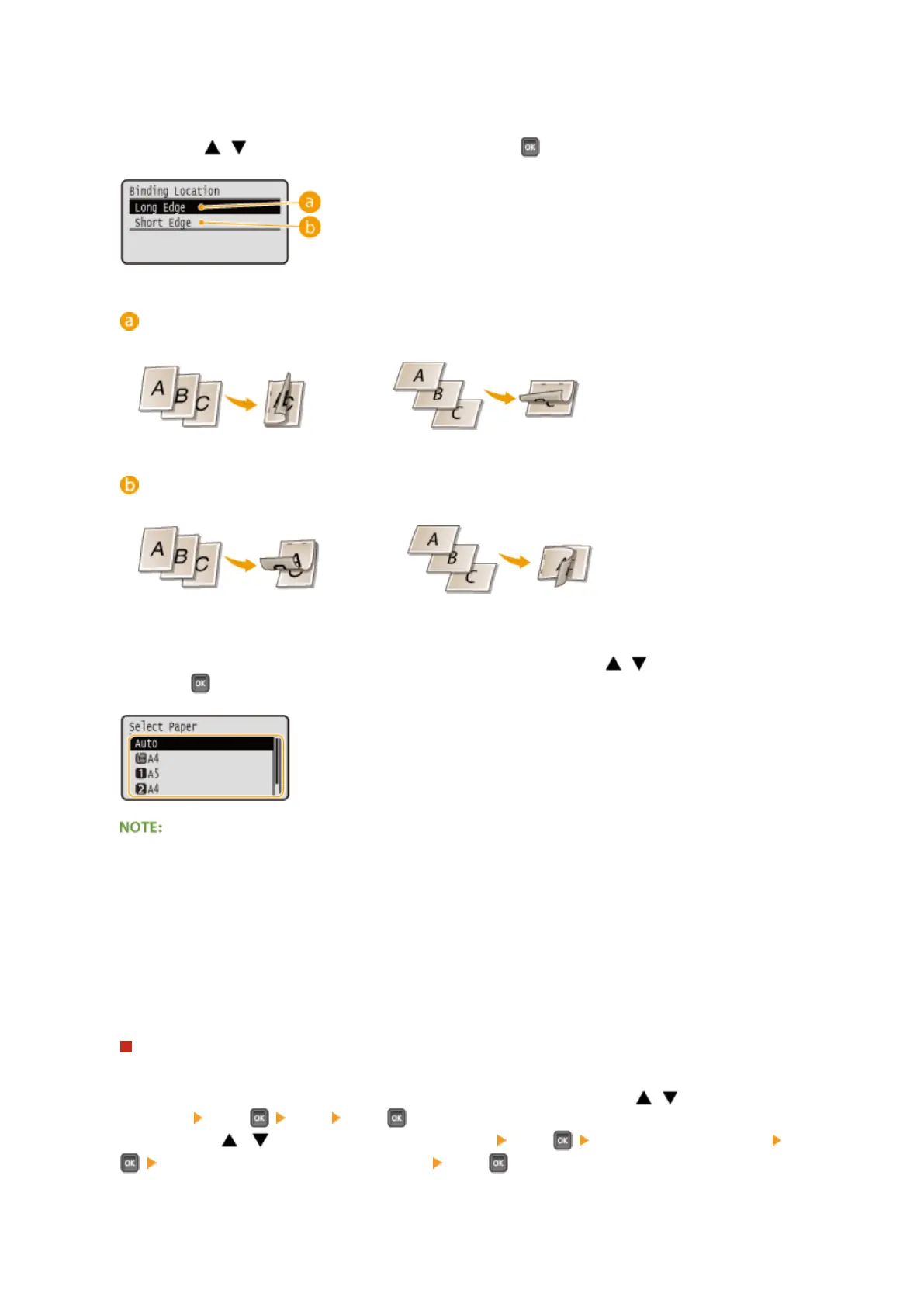
<Binding Location>
Specify whether to bind the long edge or short edge of the 2-sided printouts with a binding tool such as a
stapler. Use / to select the binding position, and press .
<Long Edge>
Binds the printouts on the long edge.
<Short Edge>
Binds the printouts on the short edge.
<Select Paper>
Select the paper source in which the paper to print is already loaded. Use / to select the paper source,
and press .
● When you want to print a PDF le or XPS le, specify <Auto> to automatically select the optimum paper
source.
● A paper source with custom size paper loaded cannot be selected.
<Halftones>
You can select the method to reproduce halftones (the intermediate range between the lighter and darker
areas of an image).
PDF les and XPS les
You can specify <Error Diffusion> as the halftone reproduction method or specify the halftone reproduction
method separately for each image data type. To specify <Error Diffusion>, use
/ to select <Error
Diffusion> press <On> press . To specify the reproduction method separately for each image
data type, use / to select <Resolution/Gradation> press select the image data type press
select the method to reproduce halftone press .
Printing a Document
122



 To Next Page