Display
0YSF-00H
The display shows the printing status and the screens for specifying settings. It also
shows error messages and the amount remaining in the toner cartridge.
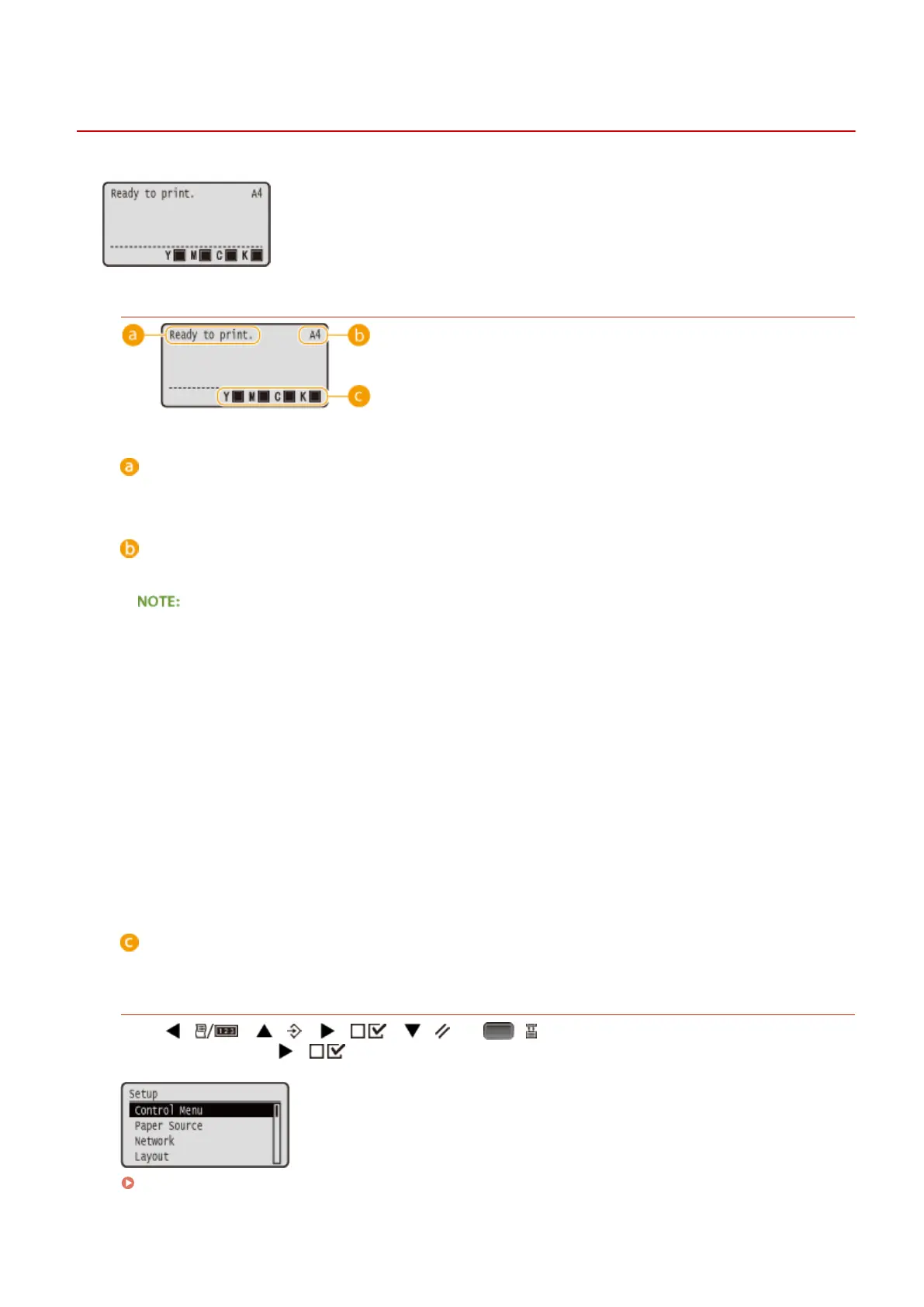
Main Screen
Status indication
Displays the current status or operation mode of the machine.
Paper size indication
Displays the currently selected paper size.
The following paper sizes are shown in an abbreviated form.
● Legal: LG
● Letter: LT
● Statement: ST
● Executive: EX
● Foolscap: FC
● Index Card: IC
● Postcard: PD
● Reply Postcard: P2
● 4 on 1 Postcard: P4
● Envelope NAGAGATA 3: N3
● Envelope YOUGATANAGA 3: YN3
● Envelope No. 10 (COM10): CO
● Envelope Monarch: MO
● Envelope C5: EC5
● Envelope DL: DL
● Free Size: FR
● Custom Paper Size Landscape: 80R
● Custom Paper Size Portrait: 80
Remaining toner cartridge indication
The amount of remaining toner cartridge is indicated.
Menu Screen
Press ( ), ( ), ( ), ( ), or ( ) to display the corresponding menu screen. The
screen displayed when ( ) is pressed is shown below as an example.
Setting Menu List(P. 362)
Basic Operations
27



 To Next Page