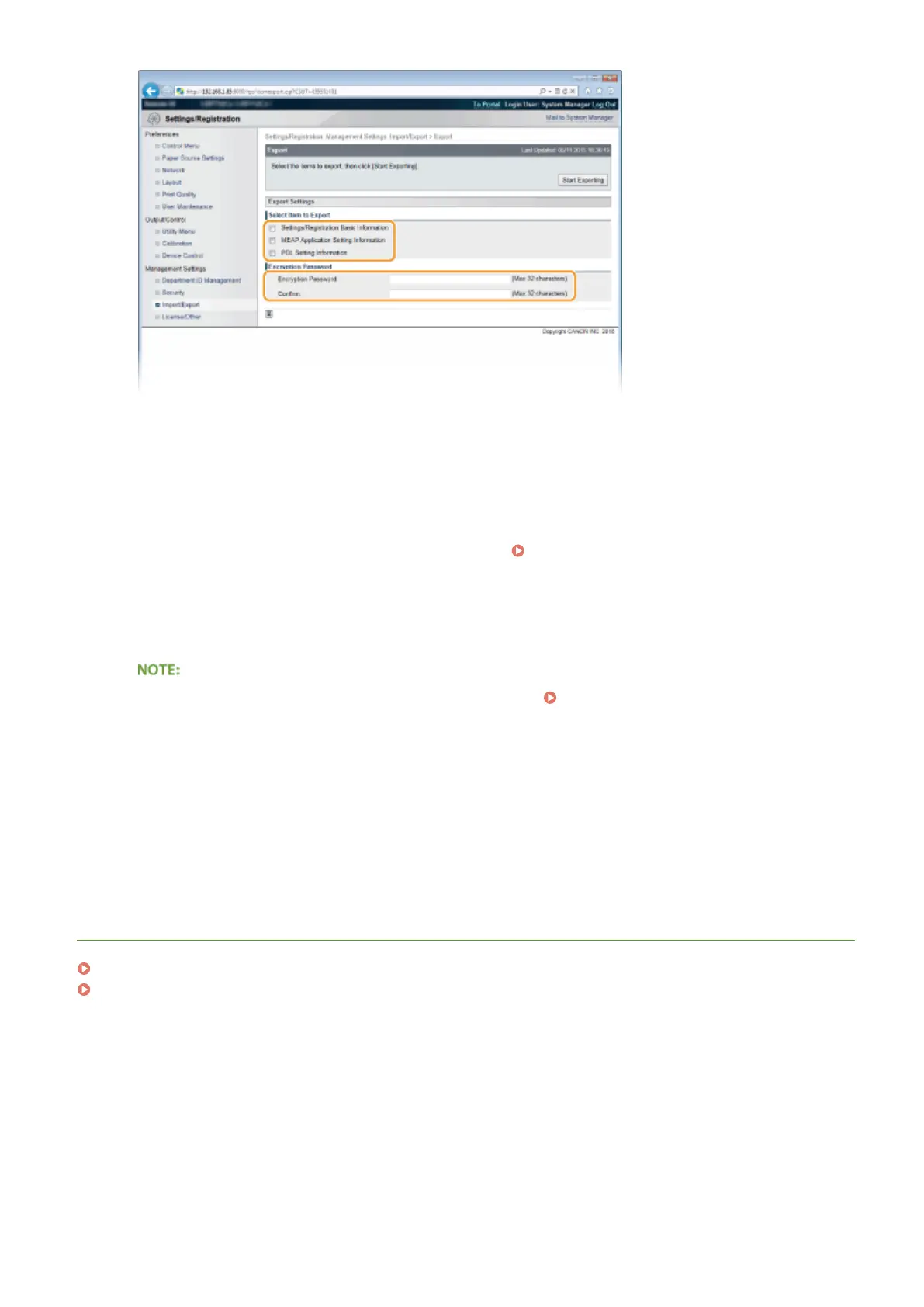
[Settings/Registration Basic Information]
To export the settings data of items that can be set from [Settings/Registration] in the Portal Page, select this
check box.
[MEAP Application Setting Information]
To export the settings data of MEAP applications, select this check box.
[PDL Setting Information]
To export the settings data of items that can be set from
Settings Specic to Print Mode(P. 438) , select
this check box.
[Encryption Password]
Enter the password to encrypt data to be exported using up to 32 characters. Enter the same password in
[Conrm]. If no password is set, data exporting is impossible.
● The password is required when exported data is imported. Loading Registered Data(P. 359)
5
Click [Start Exporting].
6
Follow the on-screen instructions to specify the location where the exported setting
data is saved.
➠ The setting data will be saved.
LINKS
Remote UI Screens(P. 339)
Setting Menu List(P. 362)
Using Remote UI
358



 To Next Page