2
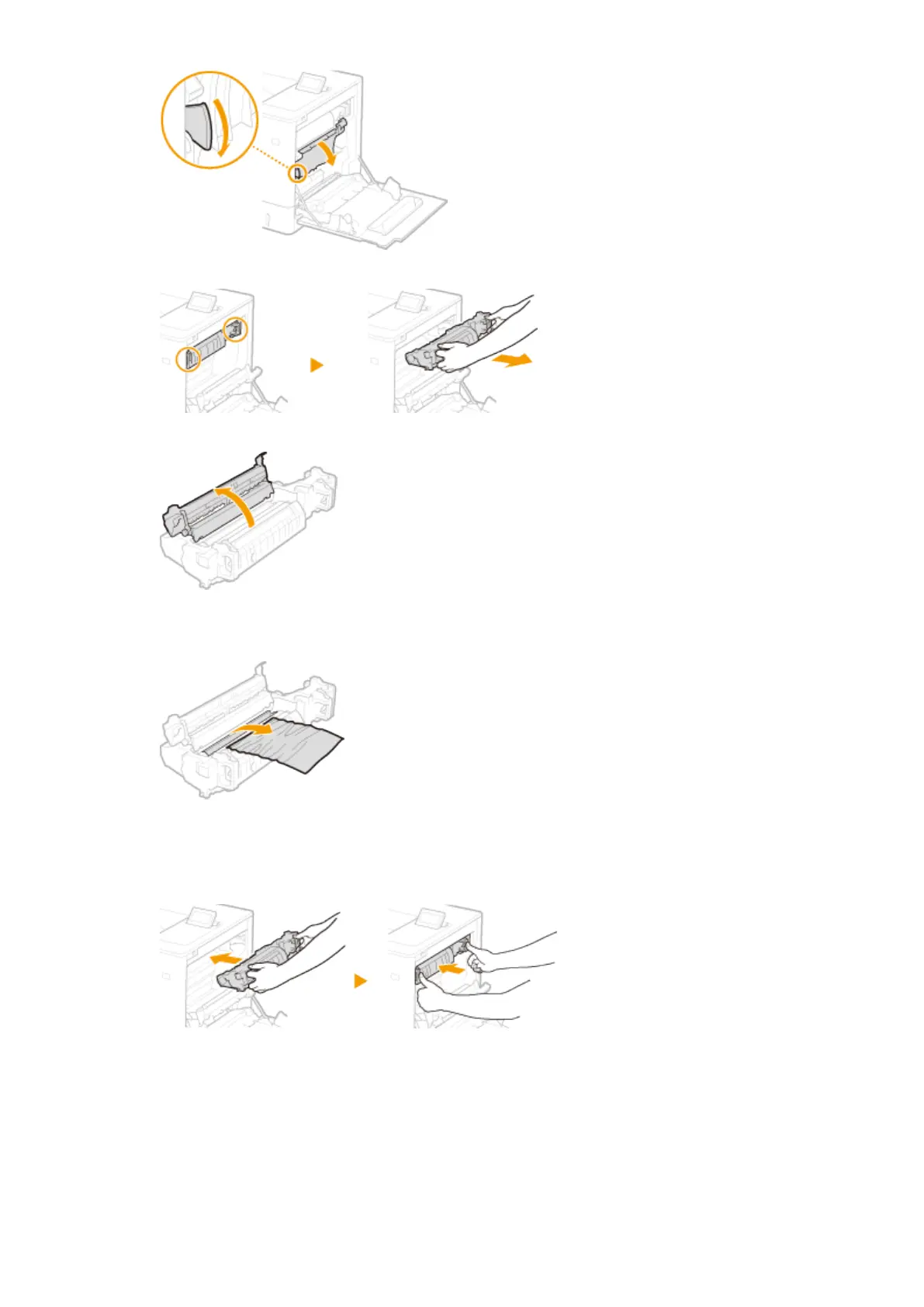
Hold the handles on both sides of the xing unit, and pull out the xing unit straight toward you.
3
Open the cover.
4
Gently pull out the paper.
● Pull out the paper while holding it as horizontally as possible to prevent unxed toner from falling.
5
Close the cover.
6
Place the xing unit back into position.
● Fully push it in until it cannot go any further.
4
Remove the jammed paper in the paper drawer.
1
Pull out the paper drawer until it stops.
Troubleshooting
515


 To Next Page
 Loading...










