You can check the information about installed or uninstalled applications (except for system applications).
1
Start SMS (Service Management Service).
"Launching SMS (Log in)"
2
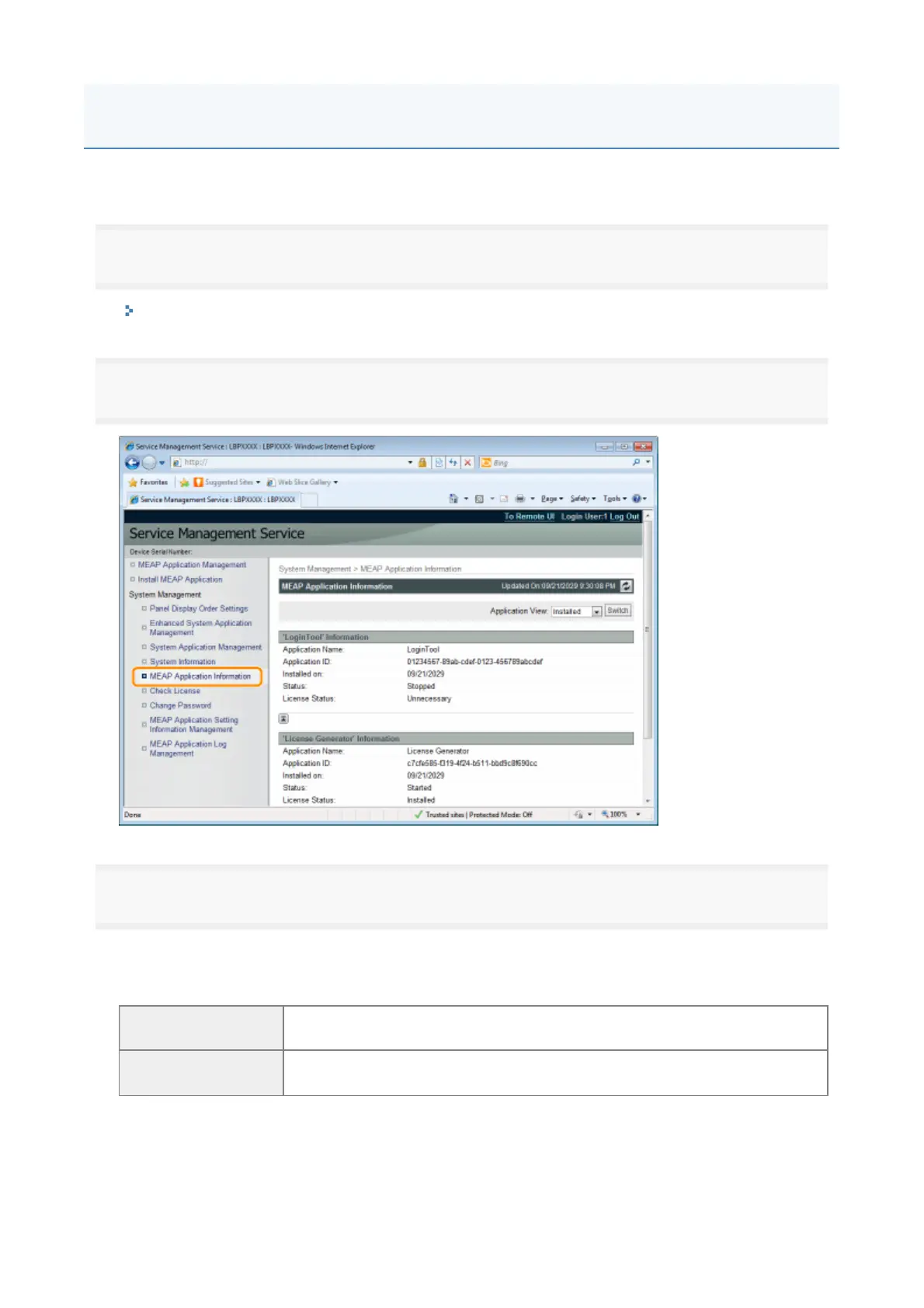
Click [MEAP Application Information].
3
Information about applications is displayed.
(1
Select [Installed] or [Uninstalled]
(2
Click [Switch]
[Installed]
Information about installed applications (except for system applications) is
displayed.
[Uninstalled]
Information about uninstalled applications (except for system applications) is
displayed.
Checking Application Information
18



 To Next Page