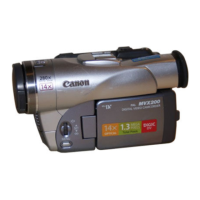
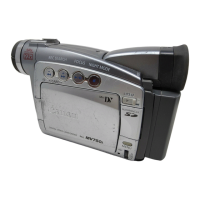
MVX250i E, MVX200i E, MVX200 E
GENERAL DESCRIPTION OF PRODUCT
78
HEADS DIRTY, USE CLEANING CASSETTE
• When a print head is clogged.
CARD ERROR
• When a card error occurs and data cannot be recorded on the card.
CARD FULL
• When the card is full.
NAMING ERROR
• When the maximum number of file numbers and directory numbers are created.
UNIDENTIFIABLE IMAGE
• When an attempt is made to playback an image in an unplayable format, an incompatible JPEG image, or an image with corrupt
data.
PRINT ORDER ERROR
• When there are too many print marks (100 or more), or when a mark file cannot be edited.
NO CARD
• When there is no card in the camcorder socket.
NO IMAGES
• When there are no images to be played in the card.
THE CARD IS SET FOR ERASURE PREVENTION
• When an attempt is made to record on an SD card set for erasure prevention, in a mode that allows card recording (VCR mode,
Card Recording mode).
NOW CREATING START-UP IMAGE
• The startup screen is being written to flash memory.
THIS IMAGE CANNOT BE USED AS START-UP IMAGE
IN CARD POSITION
• When Start/Stop button is pressed in the Camera mode.
THIS IMAGE CANNOT BE RECORDED
• (Models MVX250i E)
DIFFERENT CARD FORMAT
• When the card format is not supported by the camcorder.



 To Next Page