• The 'User session time-out', in minutes. This is the duration of a user session before automatic
log out on the system user panel.
Note: It is recommended to increase this duration for big jobs or heavy print files.
• Whether the PIN of the contactless card is requested at logging time.
• Whether the fully qualified name of the job owner is used for job filtering.
('Require the fully qualified name of the job owner' setting). The user then sees only the jobs
that have been submitted with this FQDN.
• The type of the contactless card: Felica or Mifare or both.
Validate the contactless card configuration
When to do
After you configured the authentication by contactless card, validate it.
Procedure
1.
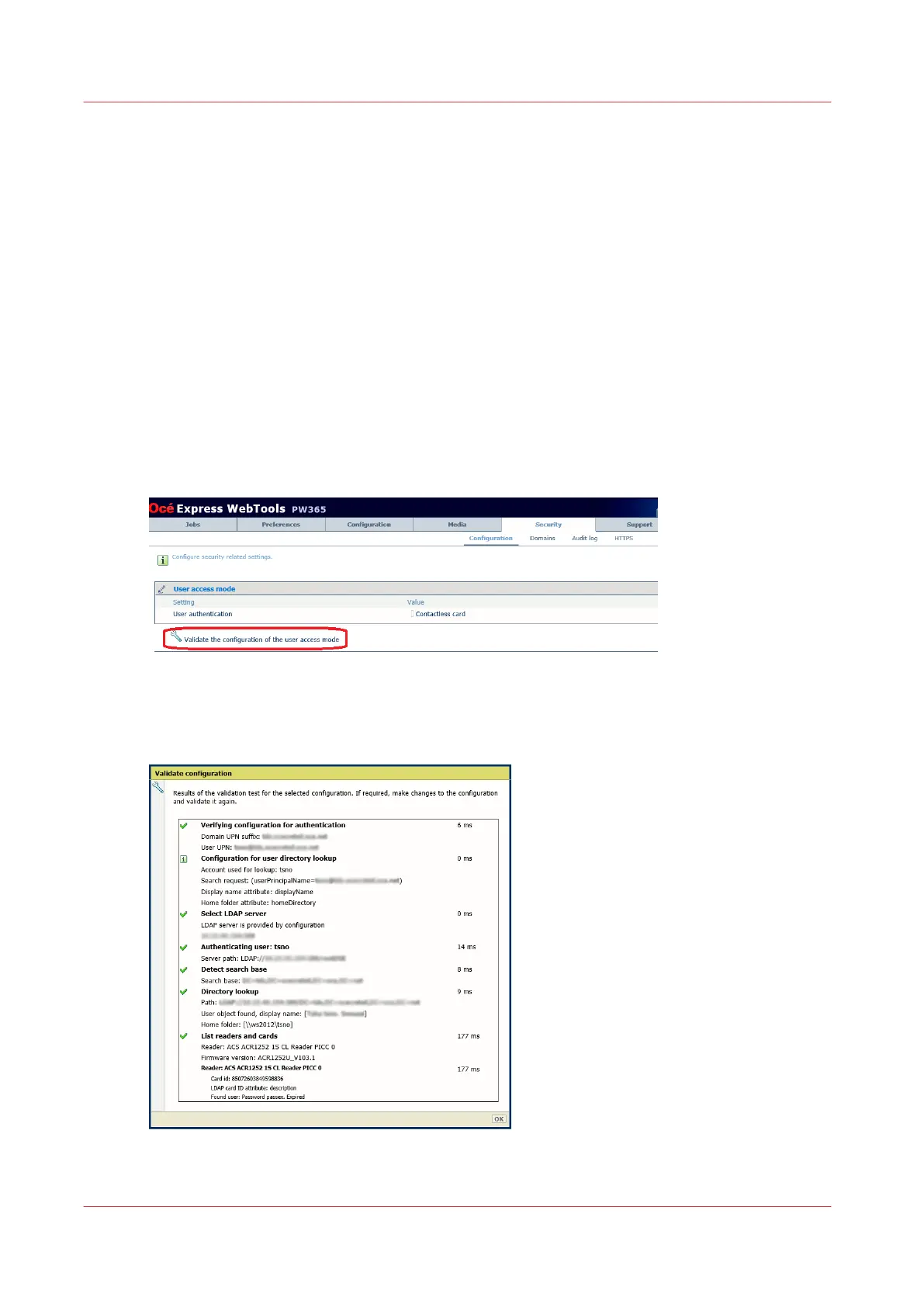
Below the 'User access mode' section, click 'Validate the configuration of the user access mode'.
2.
Select the domain name.
3.
Click 'OK'.
A report is generated:
Validate the contactless card configuration
184
Chapter 4 - Security on Océ PlotWave 345/365 and Océ PlotWave 450/550









 To Next Page