8.
Select 'Any' as the 'IP Protocol Type' and click 'Next'
9.
Click 'Finish'
10.
In the 'IP filter list' window, click OK
The filter list is set
Define the filter actions and security negotiation
Procedure
1.
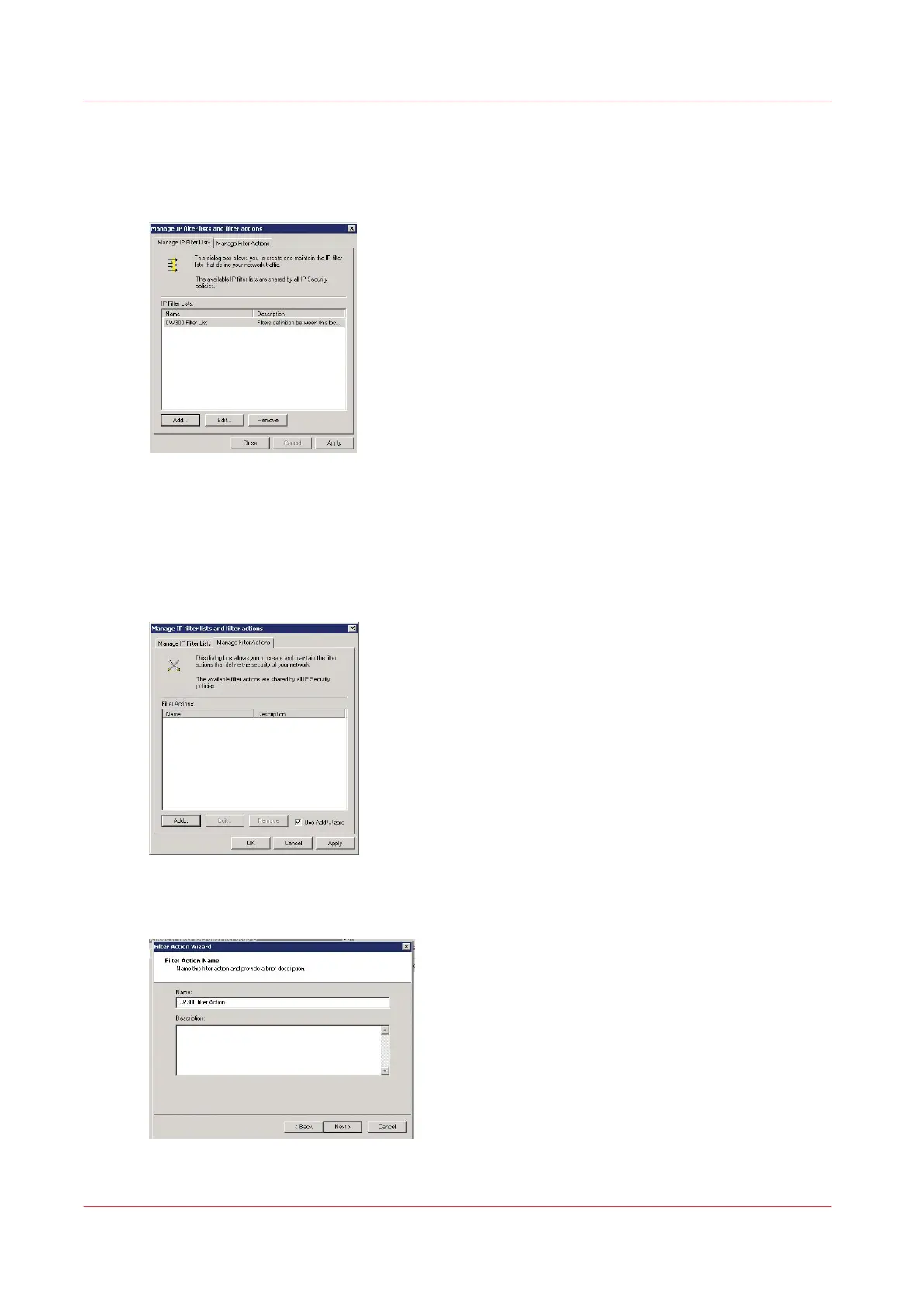
Open the 'Manage Filter Actions' tab and click 'Add' to open the wizard.
2.
Click 'Next'
3.
Give a name to the filter actions and click 'Next'
Define the filter actions and security negotiation
212
Chapter 4 - Security on Océ PlotWave 345/365 and Océ PlotWave 450/550









 To Next Page