Illustration
IPsec parameters in the Océ Express WebTools (EWT)
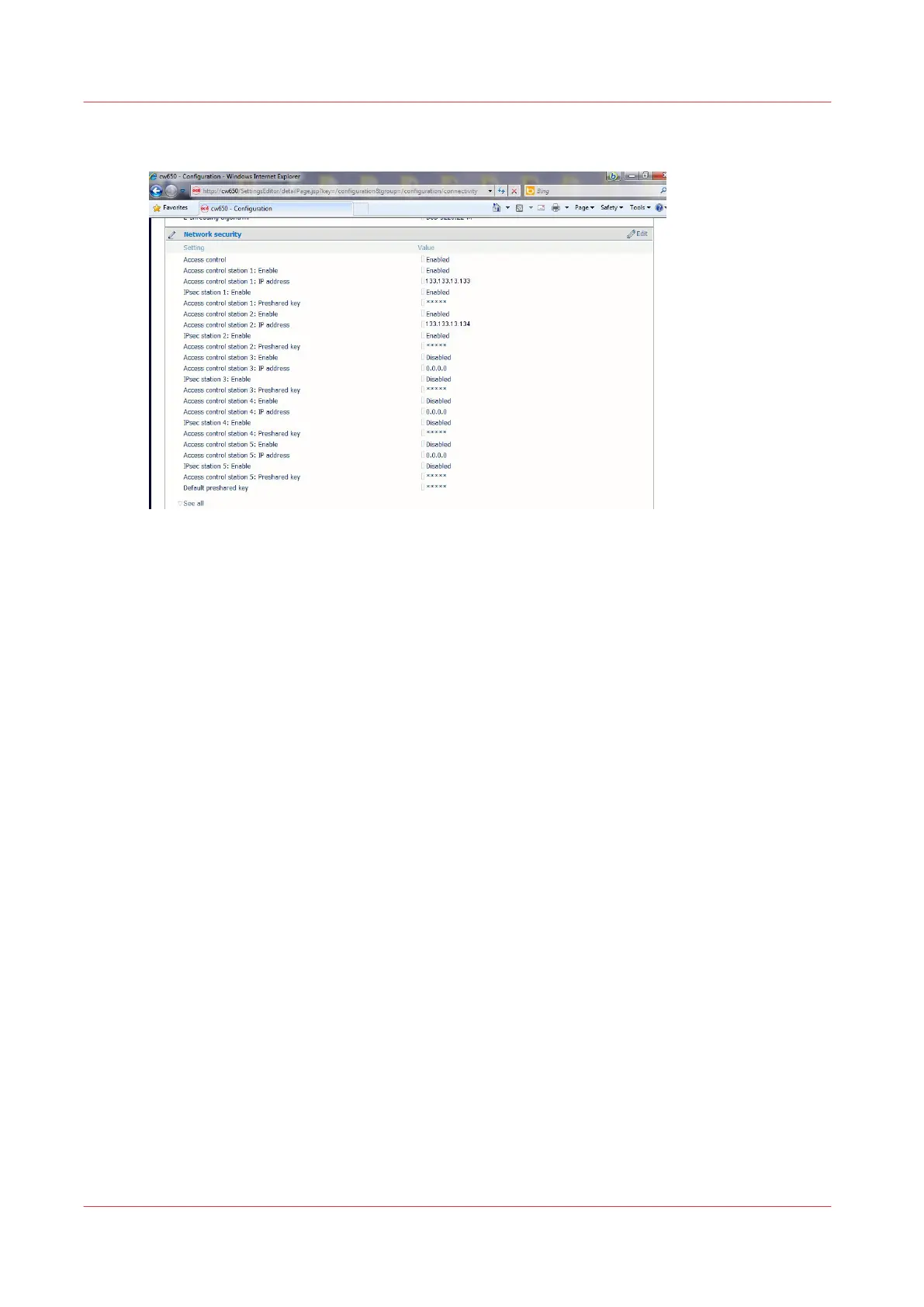
The following IPsec parameters are available in the Océ Express WebTools :
Network security section:
The generic 'Access control' must be enabled.
The 'Access control station X' must be enabled.
Enable and configure the parameters for each required station.
The parameters can be different for each different workstation:
- the IP address
- the preshared key (keep the generic default one or set a custom one)
- You can define a default preshared key that will be used for all the stations connected by IPsec
to the printer/scanner system.
Configure the IPsec settings in the Océ controller
Before you begin
You must be logged as a System Administrator or a Power user.
DHCP must be disabled.
Activate and configure IPsec in the printer/scanner controller
Procedure
1.
Open a web browser and enter the system URL: https://<hostname>, to open the Océ Express
WebTools
2.
Open the 'Configuration' - 'Connectivity' page
Configure the IPsec settings in the Océ controller
254
Chapter 5 - Security on Océ ColorWave 550/600/650 (and Poster Printer)









 To Next Page