7.
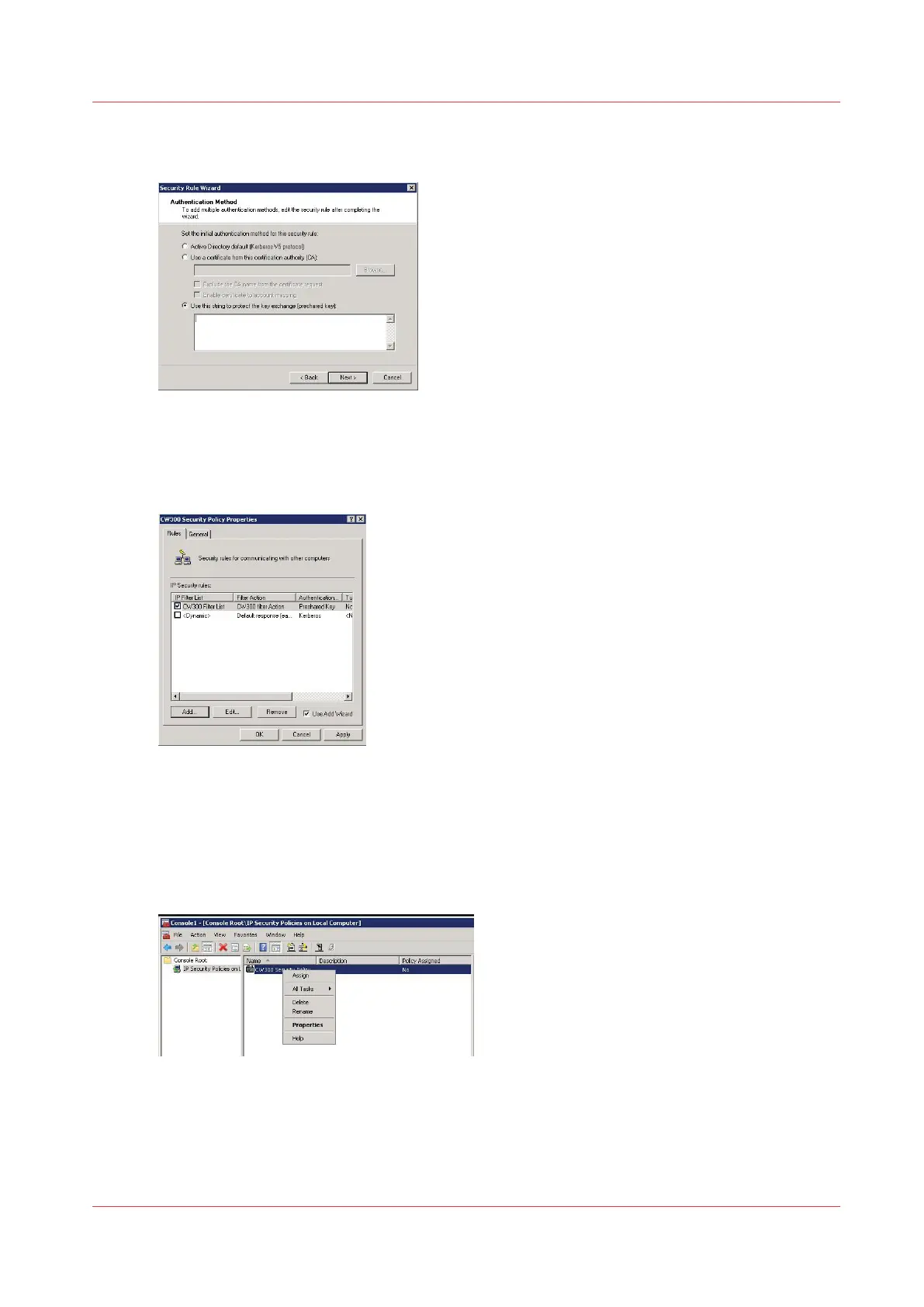
In the 'Authentication method' window, check 'Use this string to protect the key exchange
(preshared key)'
8.
Enter the preshared key you set in Express WebTools (see
Configure the IPsec settings on the Océ
controller
on page 42), then click 'Next'
9.
Click 'Finish'
10.
Click 'OK' to validate the Security rule
Assign the security policy
Procedure
1.
In the console, right click on the security policy just created and select 'Assign'
The configuration is activated on the IPsec station (workstation):
Assign the security policy
Chapter 5 - Security on Océ ColorWave 550/600/650 (and Poster Printer)
263









 To Next Page