Possible cause:
The time for the processing of the jobs exceeds the user session time-out. All the jobs have not
reached the 'Ready to print' or 'Printing' status.
Action:
Increase the 'User session time-out' (in Océ Express WebTools - Security - 'Configuration' - 'User
access configuration').
Disable the user authentication
Introduction
In case you are locked because the user access mode is enabled and you cannot access Express
WebTools, you can disable it on the system panel.
Disable the user authentication on the printer user panel
Procedure
1.
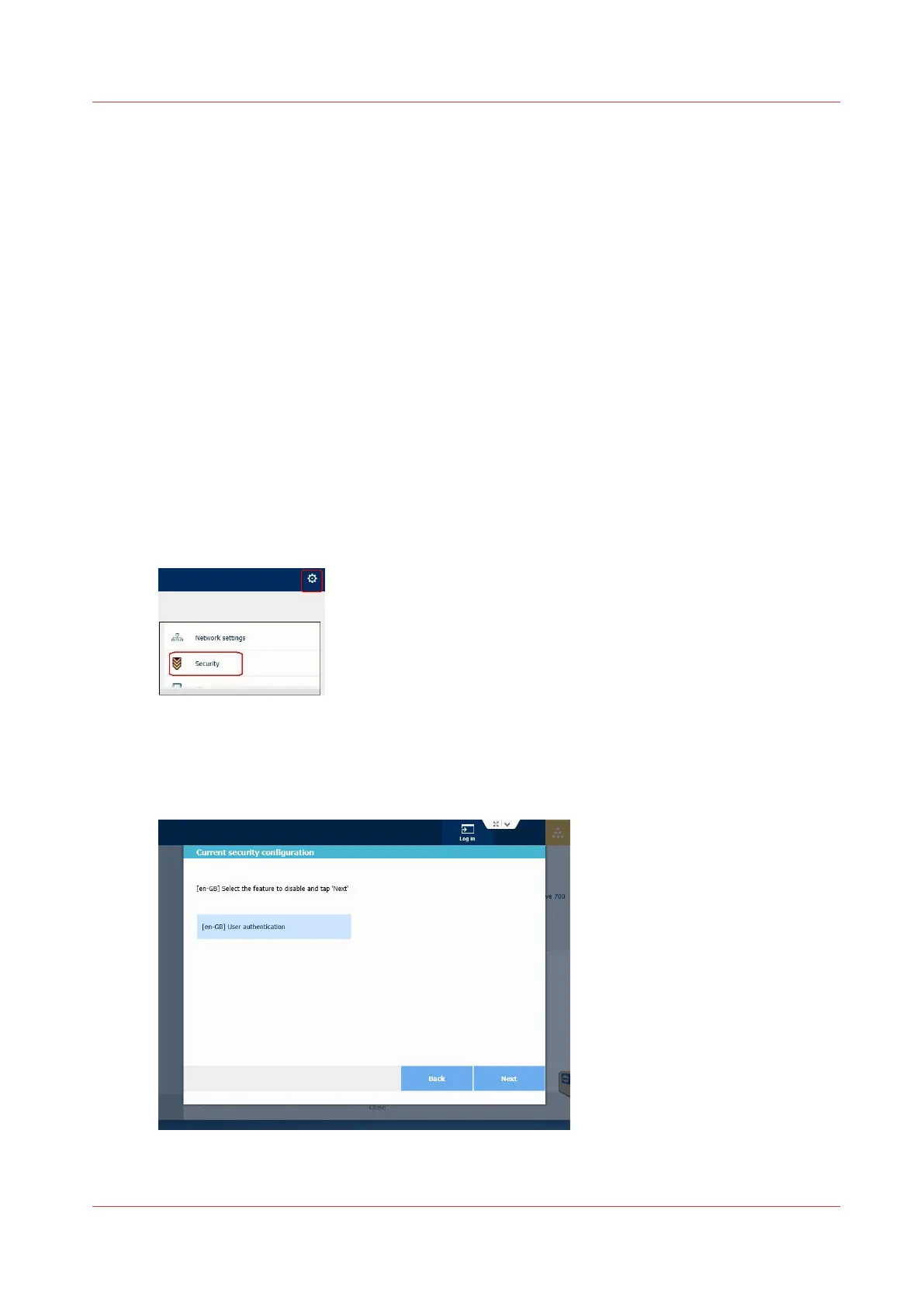
On the user panel, tap the upper right corner, to display the menu.
2.
Select 'Security'.
3.
Enter the System administrator password.
The current security configuration is displayed.
4.
Tap 'Next' to go on and disable a feature.
5.
Select 'User authentication' and tap 'Next'.
6.
Tap 'Finish'.
Disable the user authentication
Chapter 6 - Security on Océ ColorWave 500 and Océ ColorWave 700
343









 To Next Page