4.
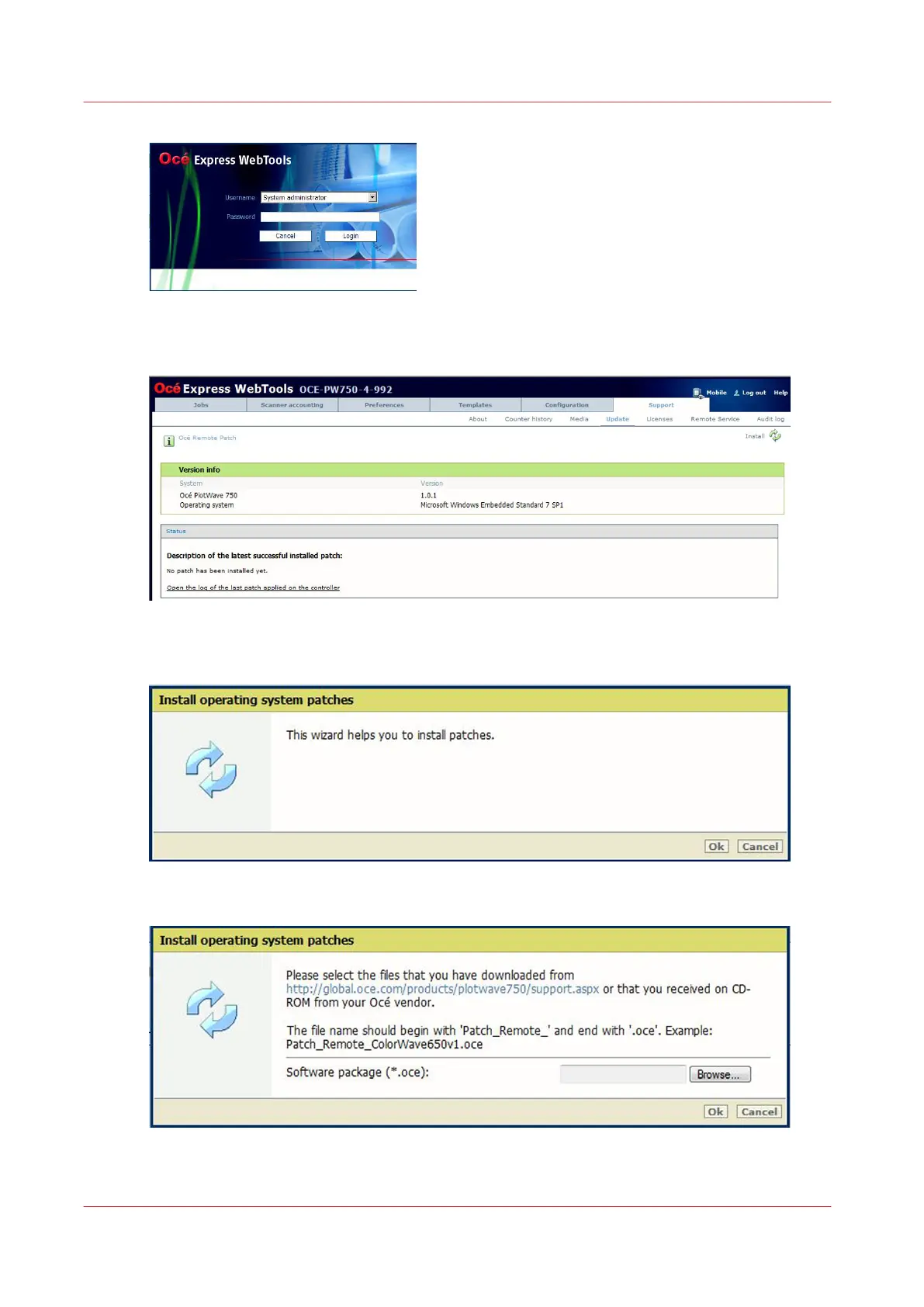
Log in as the System administrator or Power user
The latest patch successfully applied (when any) is displayed
5.
Click on the 'Update' icon (top right corner) to open the wizard
6.
Click OK
7.
Browse to the Océ Remote patch and click OK to install it
Install the Océ Remote patch on Océ PlotWave 750 and Océ PlotWave 900 R2.x
70
Chapter 2 - Security on Océ PlotWave 300/350, PlotWave 750, PlotWave 900 and ColorWave 300









 To Next Page