llsing
the
Video
Flash I
igbt
as Flash
Selecting
the
Flash
Mode
.................................................................................................................................................................................
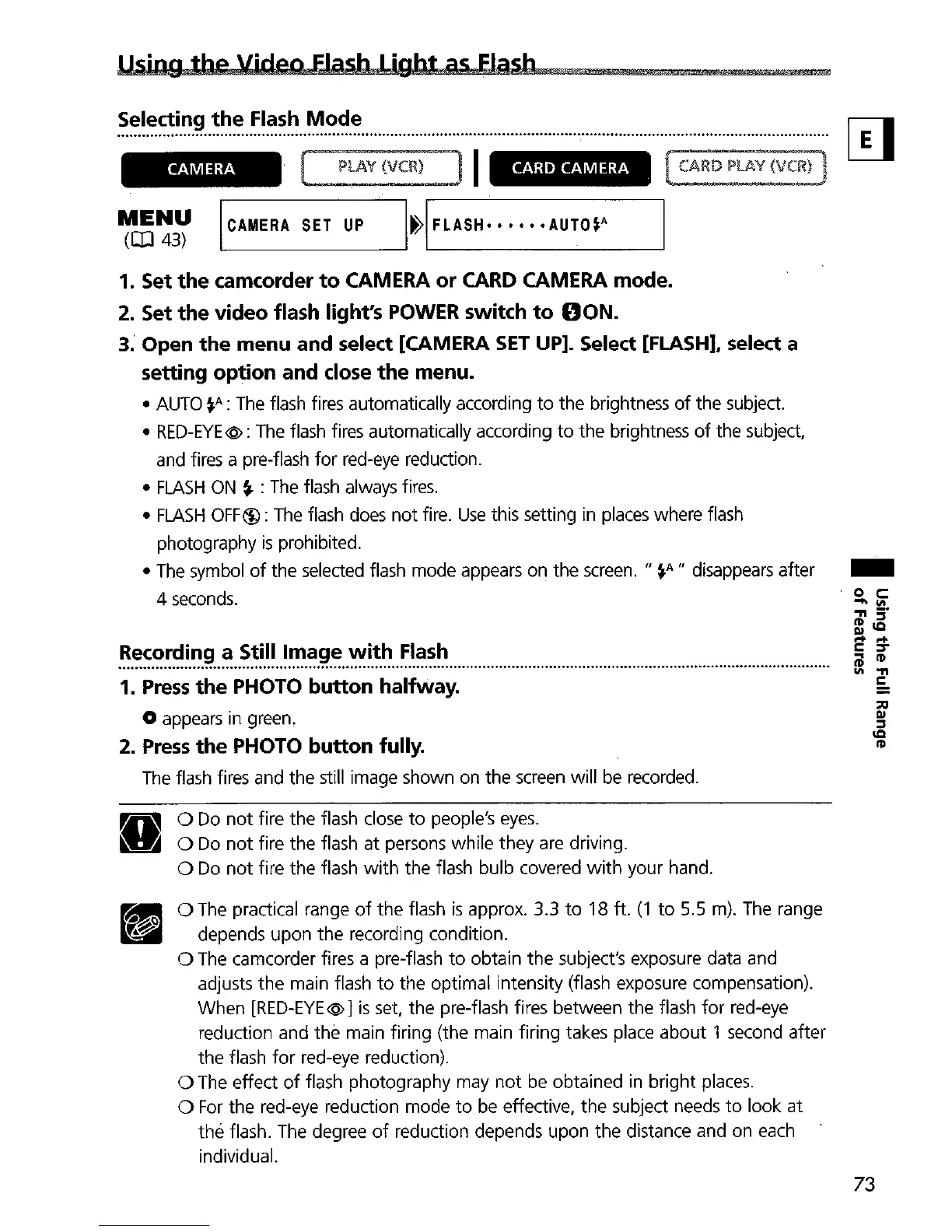
CAMERA
MENU
(CIJ
43)
ICAMERA
SET
UP
CARD
CAMERA
1. Set
the
camcorder
to
CAMERA or CARD CAMERA mode.
2. Set
the
video flash light's POWER switch
to
DON.
3. Open
the
menu and select [CAMERA
SET
UP]. Select [FLASH], select a
setting option and dose
the
menu.
•
AUTO
~A:
The
flash fires automatically according
to
the brightness
of
the subject.
•
RED-EYE@:
The
flash fires automatically according
to
the brightness
of
the subject,
and fires a pre-flash for red-eye reduction.
•
FLASH
ON
~
:
The
flash always fires.
•
FLASH
OFF~:
The
flash
does
not
fire.
Use
this setting
in
places
where flash
photography
is
prohibited.
•
The
symbol
of
the selected flash mode appears on the
screen.
II
~A
II
disappears after
4 seconds.
.
~.:~~.~~~.~.~
..
~
..
~~~.~~
..
~~.~.~.:
..
'!:'!.~.~.~
..
~.!~.~~
..
1.
Press
the
PHOTO button halfway.
o appears in green.
2.
Press
the
PHOTO button fully.
The
flash fires and the still image shown on the
screen
will be recorded.
-
•
o
Do
not
fire the flash close
to
people's
eyes
.
o
Do
not
fire the flash at persons while they are driving.
o
Do
not
fire the flash
with
the flash bulb covered
with
your hand.
o
The
practical range
of
the flash
is
approx. 3.3
to
18 ft.
(1
to
5.5 m).
The
range
depends upon the recording condition.
o
The
camcorder fires a pre-flash
to
obtain the subject's exposure data and
adjusts the main flash
to
the optimal intensity (flash exposure compensation).
When
[RED-EYE@
1
is
set, the pre-flash fires between the flash
for
red-eye
reduction and the main firing (the main firing takes place about 1 second after
the flash
for
red-eye reduction).
o The effect
of
flash photography may
not
be
obtained in bright places.
o
For
the red-eye reduction mode
to
be effective, the subject needs
to
look at
the flash.
The
degree
of
reduction depends upon the distance and on each
individual.
73


 To Next Page