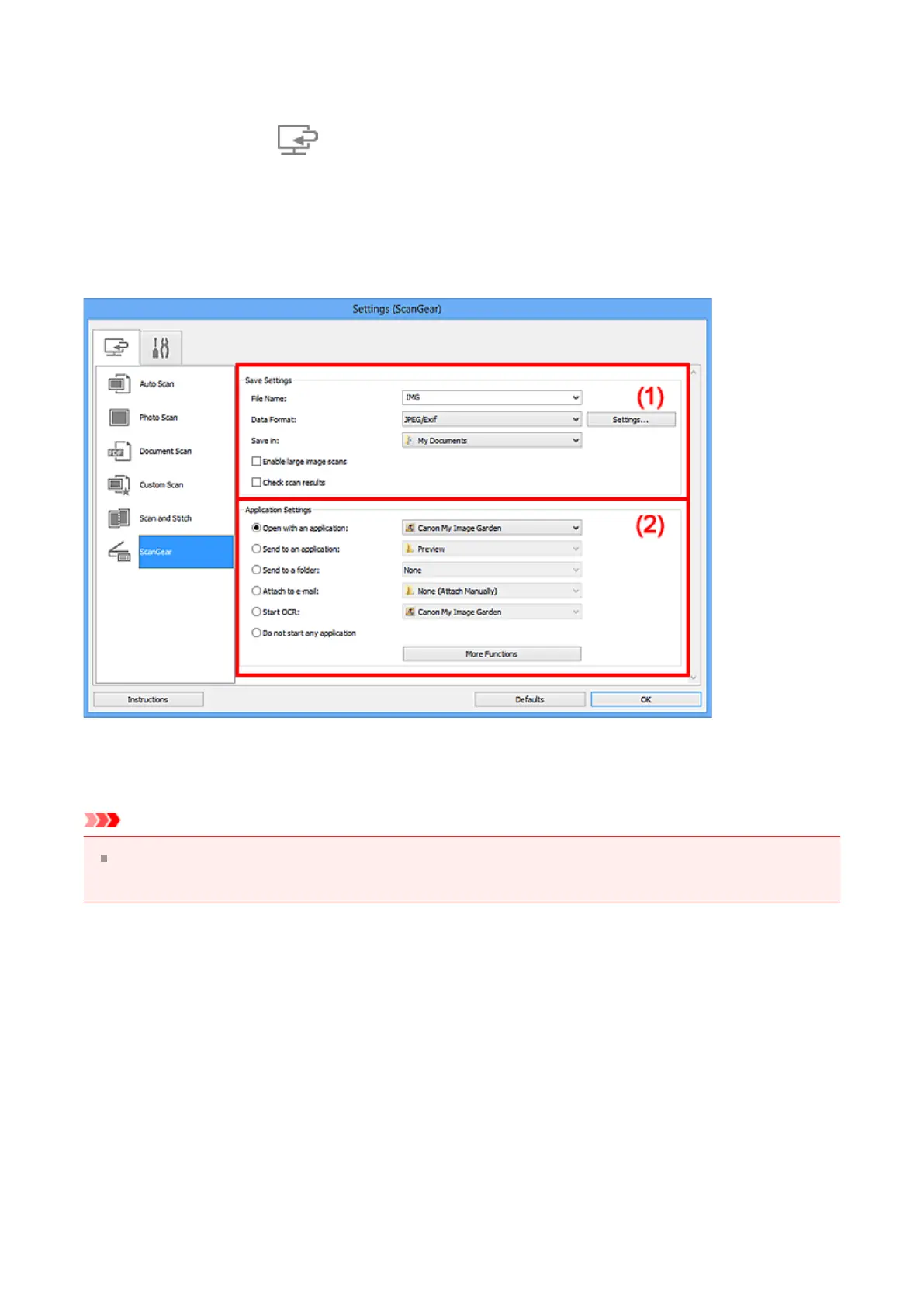
Settings (ScanGear) Dialog Box
Click ScanGear on the (Scanning from a Computer) tab to display the Settings
(ScanGear) dialog box.
In the Settings (ScanGear) dialog box, you can specify how to save images when
scanning items by starting ScanGear (scanner driver) and how to respond after saving
them.
(1) Save Settings Area
(2) Application Settings Area
Important
When the Settings dialog box is displayed from My Image Garden, the setting items for
Application Settings do not appear.
(1) Save Settings Area
• File Name
Enter the file name of the image to be saved. When you save a file, the date and four
digits are appended to the set file name in the "_20XX0101_0001" format.
• Data Format
Select the data format in which to save the scanned images.
You can select JPEG/Exif, TIFF, PNG, PDF, or PDF (Multiple Pages).
330












 To Next Page