33 ImageBrowser Software User Guide
Chapter 3
Managing Images
This section describes how to delete unnecessary folders.
○○○○○○○○○○○○○○○○○○○○○○○○○○○○○○○○○○○○○○○○○○
IMPORTANT
• When you delete a folder, all the actual images and folders it
contains are deleted too. They cannot be recovered once they
are deleted. Please exercise caution when deleting folders.
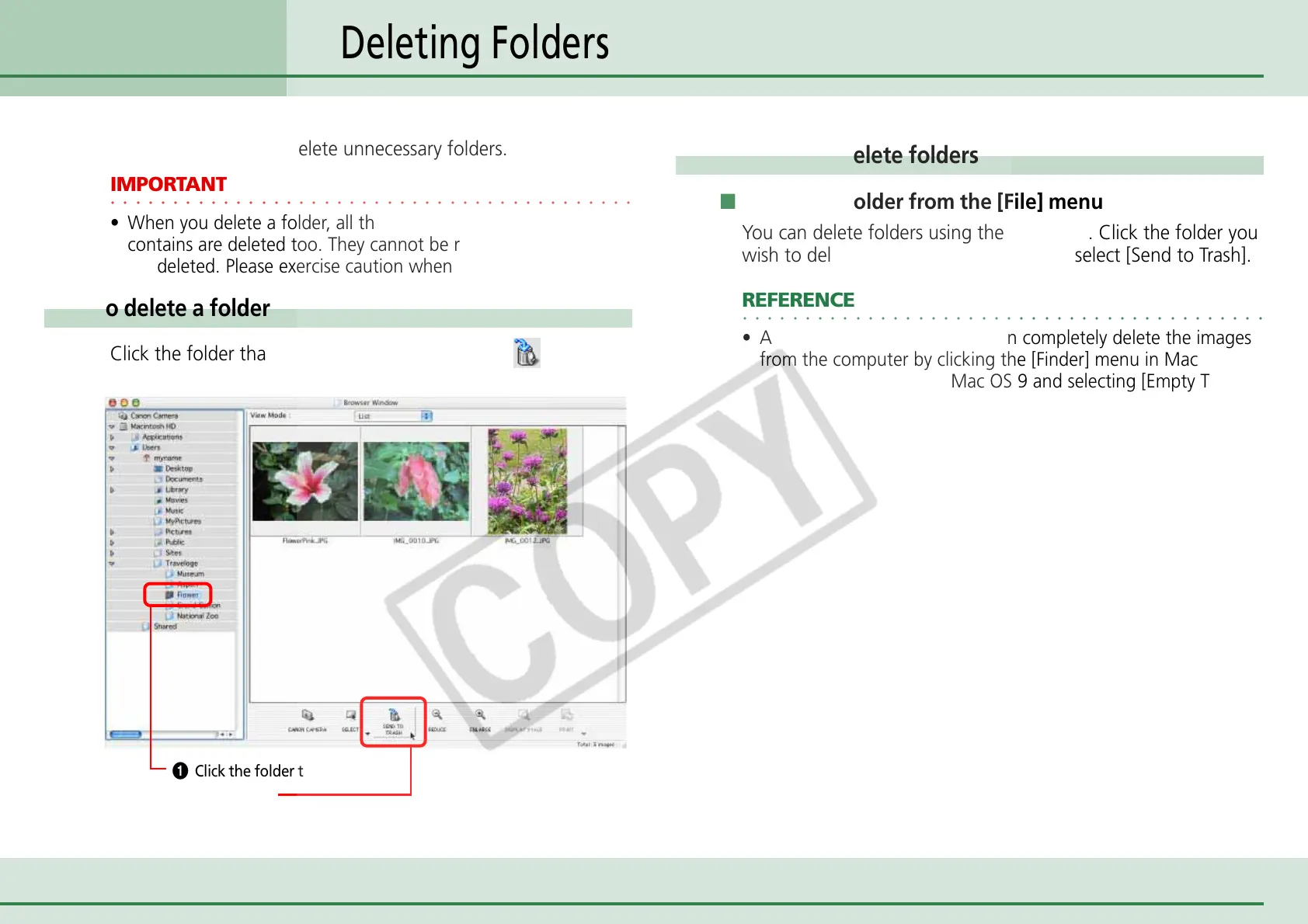
How to delete a folder
Click the folder that you want to delete and click (Send to
Trash).
Deleting Folders
A Click the folder to be deleted.
B Click here.
Another way to delete folders
■ Deleting a folder from the [File] menu
You can delete folders using the File menu. Click the folder you
wish to delete. Click the [File] menu and select [Send to Trash].
○○○○○○○○○○○○○○○○○○○○○○○○○○○○○○○○○○○○○○○○○○
REFERENCE
• After taking these steps, you can completely delete the images
from the computer by clicking the [Finder] menu in Mac OS X
or the [Special] menu in Mac OS 9 and selecting [Empty Trash].












 To Next Page