95 ImageBrowser Software User Guide
Appendices
Starting ImageBrowser Automatically (Mac OS X Only)
This method has ImageBrowser start automatically without starting up
iPhoto or Image Capture when you connect the camera to the
computer.
■ Mac OS X (v10.2/v10.3)
(The window will appear slightly different in v10.3.)
1.
Start Image Capture, click the [Image Capture] menu
and select [Preferences].
2.
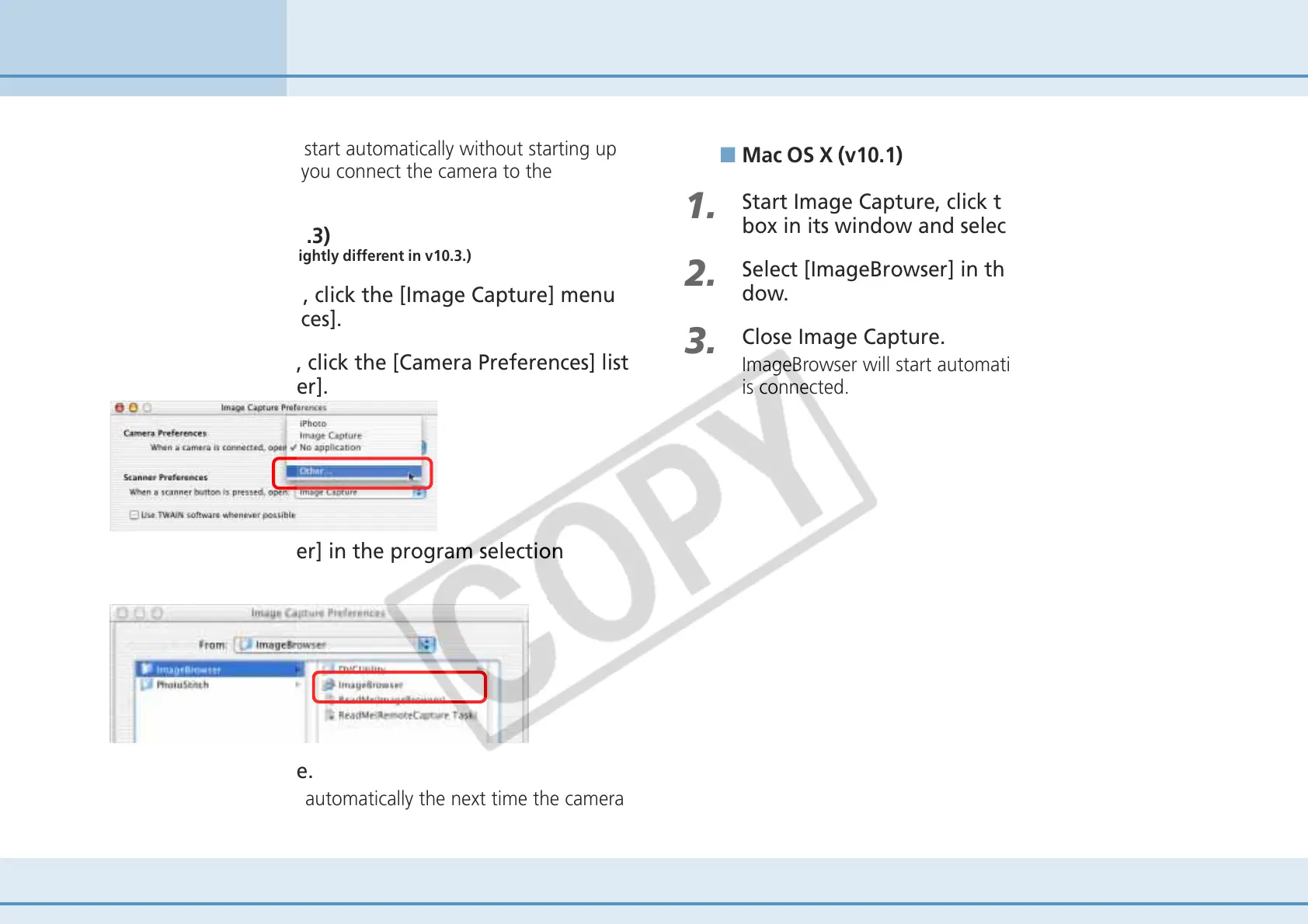
In the next window, click the [Camera Preferences] list
box and select [Other].
3.
Select [ImageBrowser] in the program selection
window.
4.
Close Image Capture.
ImageBrowser will start automatically the next time the camera
is connected.
■ Mac OS X (v10.1)
1.
Start Image Capture, click the [Hot Plug Action] list
box in its window and select [Other].
2.
Select [ImageBrowser] in the program selection win-
dow.
3.
Close Image Capture.
ImageBrowser will start automatically the next time the camera
is connected.












 To Next Page