96 ImageBrowser Software User Guide
Appendices
This section explains how to set up ImageBrowser so that it does not
start automatically when you connect the camera to the computer.
Canceling the automatic start
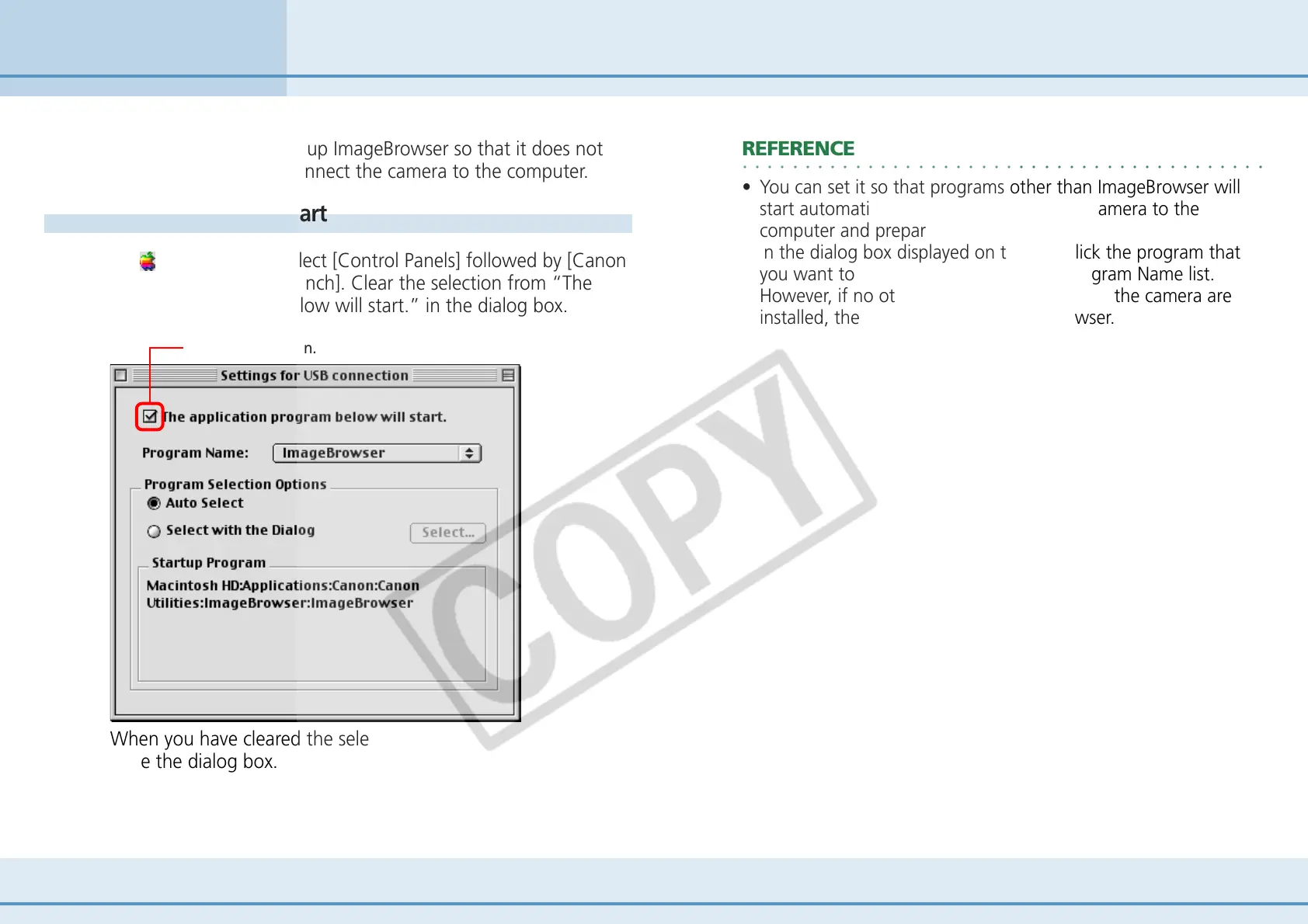
On (Apple menu), select [Control Panels] followed by [Canon
ImageBrowser Auto Launch]. Clear the selection from “The
application program below will start.” in the dialog box.
Preventing ImageBrowser from Starting Automatically (Mac OS 9 Only)
Clear this selection.
○○○○○○○○○○○○○○○○○○○○○○○○○○○○○○○○○○○○○○○○○○
REFERENCE
• You can set it so that programs other than ImageBrowser will
start automatically when you connect the camera to the
computer and prepare it to transfer data.
In the dialog box displayed on the left, click the program that
you want to start automatically on the Program Name list.
However, if no other programs supported by the camera are
installed, the list only contains ImageBrowser.
When you have cleared the selection, click the Close box to
close the dialog box.












 To Next Page