50 ImageBrowser Software User Guide
Chapter 5
Using the Camera Window
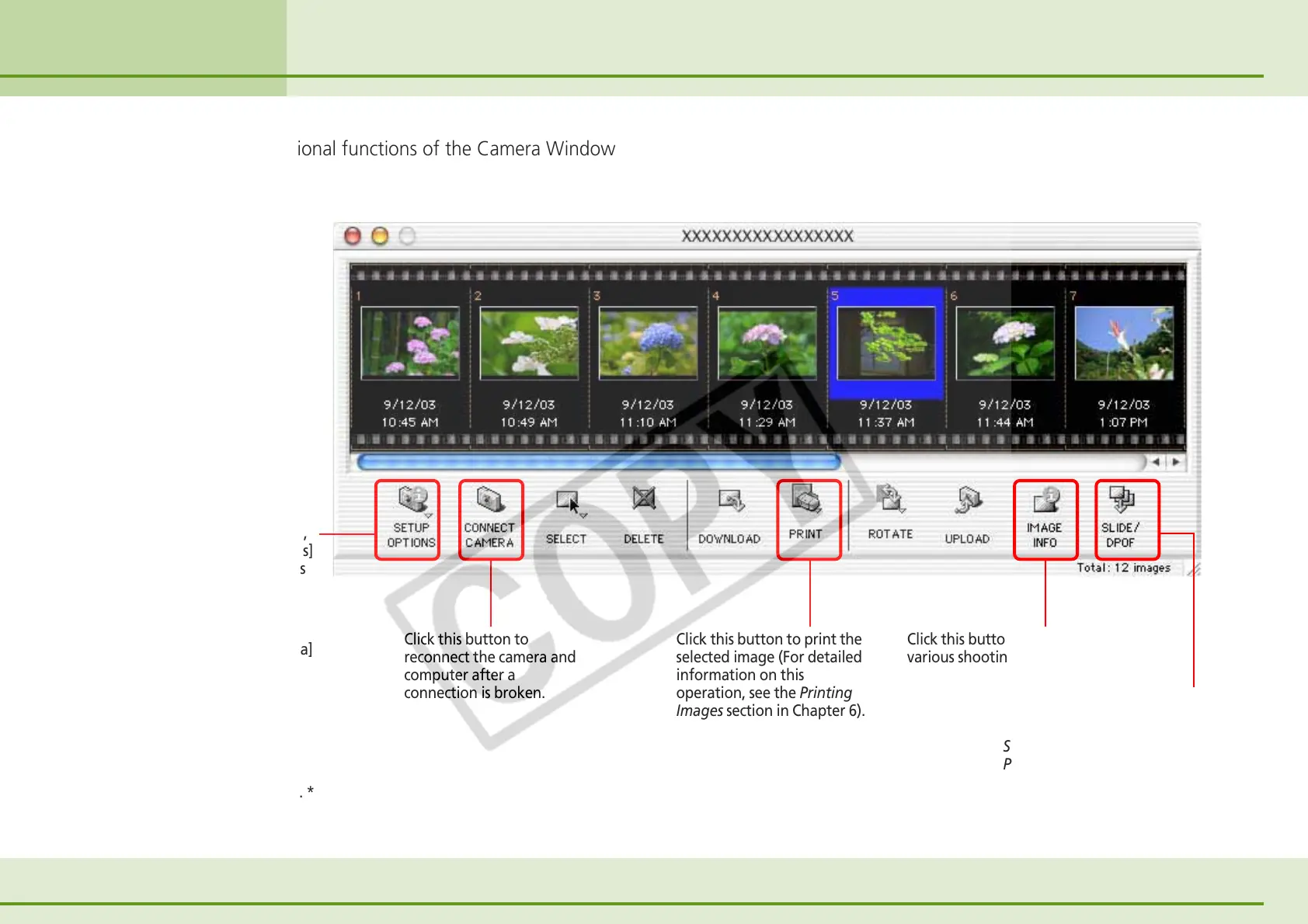
This section describes the additional functions of the Camera Window
that you can use.
On the [Setup Options] menu,
click [Communication Settings]
to adjust the communications
settings for the port
connecting the camera.
Click the [Setup Options]
button and select [My Camera]
to display the Select My
Camera dialog, which can be
used to change the start-up
image, shutter sound and
other camera settings (which
are explained in Saving the
‘My Camera Settings’ to the
Camera section in Chapter 6). *
Click this button to
reconnect the camera and
computer after a
connection is broken.
Click this button to print the
selected image (For detailed
information on this
operation, see the Printing
Images section in Chapter 6).
Click this button to check the
various shooting information.
Click this button to run a camera-
based slide show or set the DPOF
print settings (see the Setting Up
Slide Shows on the Camera and
Print Settings sections in the
Appendices). *
Other Functions of the Camera Window
* Some camera models do not support this button.












 To Next Page