43 ImageBrowser Software User Guide
Chapter 5
Using the Camera Window
This section explains the procedures for downloading images from the
camera (memory card) to a computer disk.
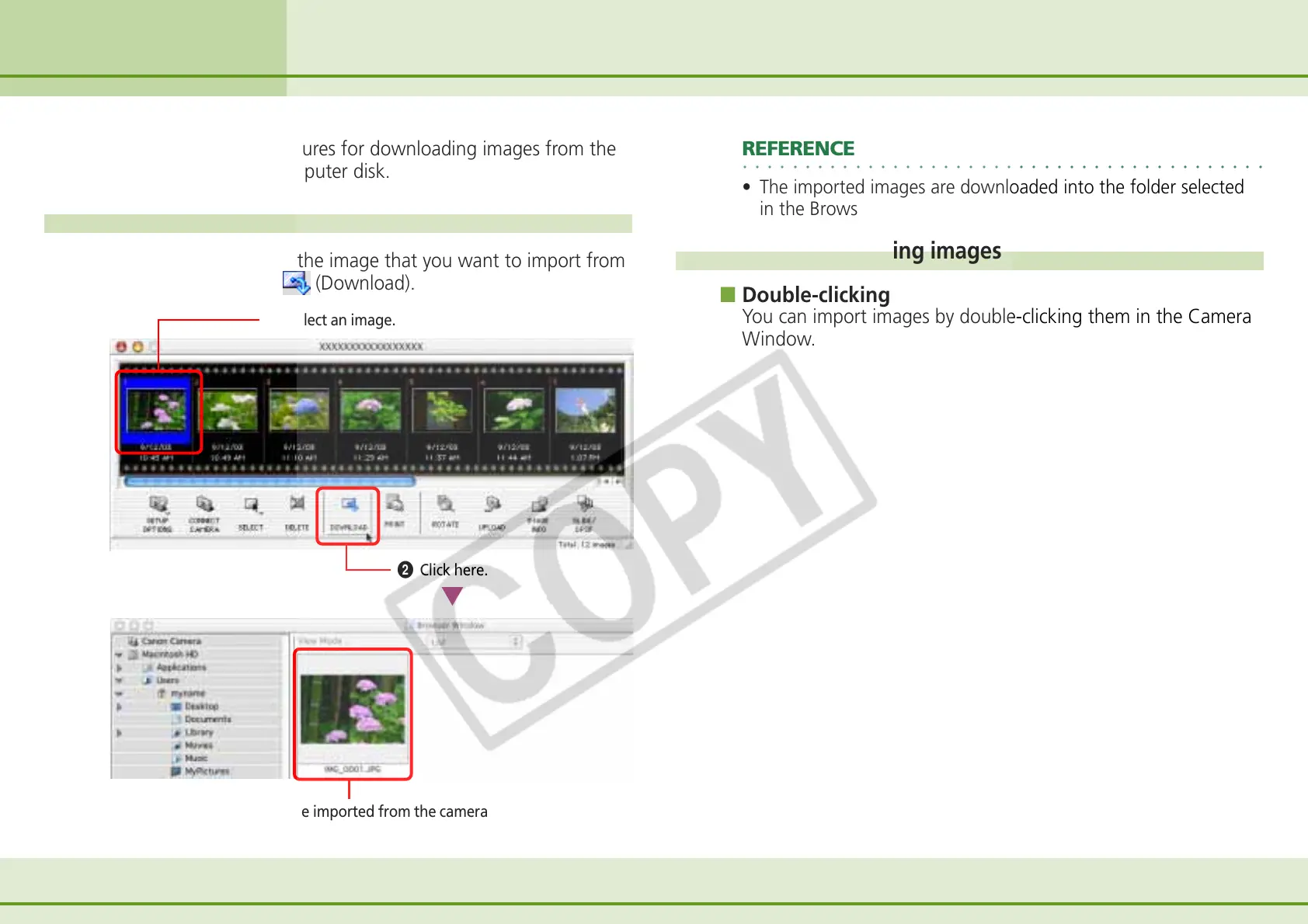
How to import an image
Click the thumbnail of the image that you want to import from
the camera and click
(Download).
Downloading Images (1/2)
Image imported from the camera
A Select an image.
B Click here.
○○○○○○○○○○○○○○○○○○○○○○○○○○○○○○○○○○○○○○○○○○
REFERENCE
• The imported images are downloaded into the folder selected
in the Browser Window.
Other ways of importing images
■ Double-clicking
You can import images by double-clicking them in the Camera
Window.












 To Next Page