84 ImageBrowser Software User Guide
Chapter 6
Using Supplementary Features
Features of the [3. Audio] Window Features of the [4. Save] Window
Editing Movies (Mac OS X Only ) (3/3)
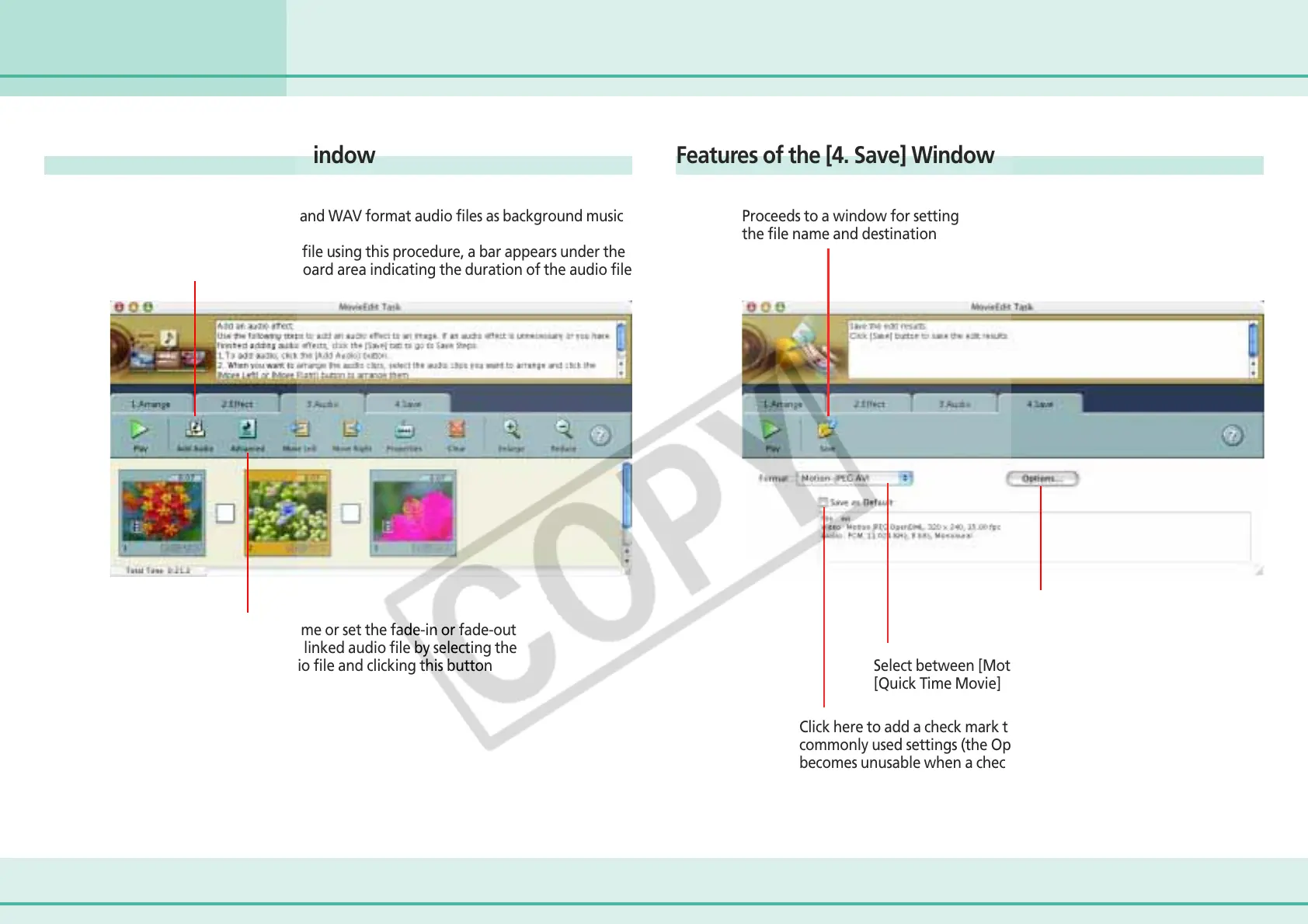
You can link MP3, AIFF and WAV format audio files as background music
or sound effects
When you link a sound file using this procedure, a bar appears under the
thumbnail in the storyboard area indicating the duration of the audio file
You can adjust the volume or set the fade-in or fade-out
effect for a movie or its linked audio file by selecting the
movie or its linked audio file and clicking this button
Proceeds to a window for setting
the file name and destination
You can set the options
for a movie file
Select between [Motion-JPEG AVI] and
[Quick Time Movie] as the movie file format
Click here to add a check mark to save using the most
commonly used settings (the Options button
becomes unusable when a check mark is added here)












 To Next Page