2-6
Chapter 2 Handling
3. Placing Documents
When placing documents into the scanner, place them face down into the tray with the top edge of the document at the bottom of
tray.
❏ Placing a Document
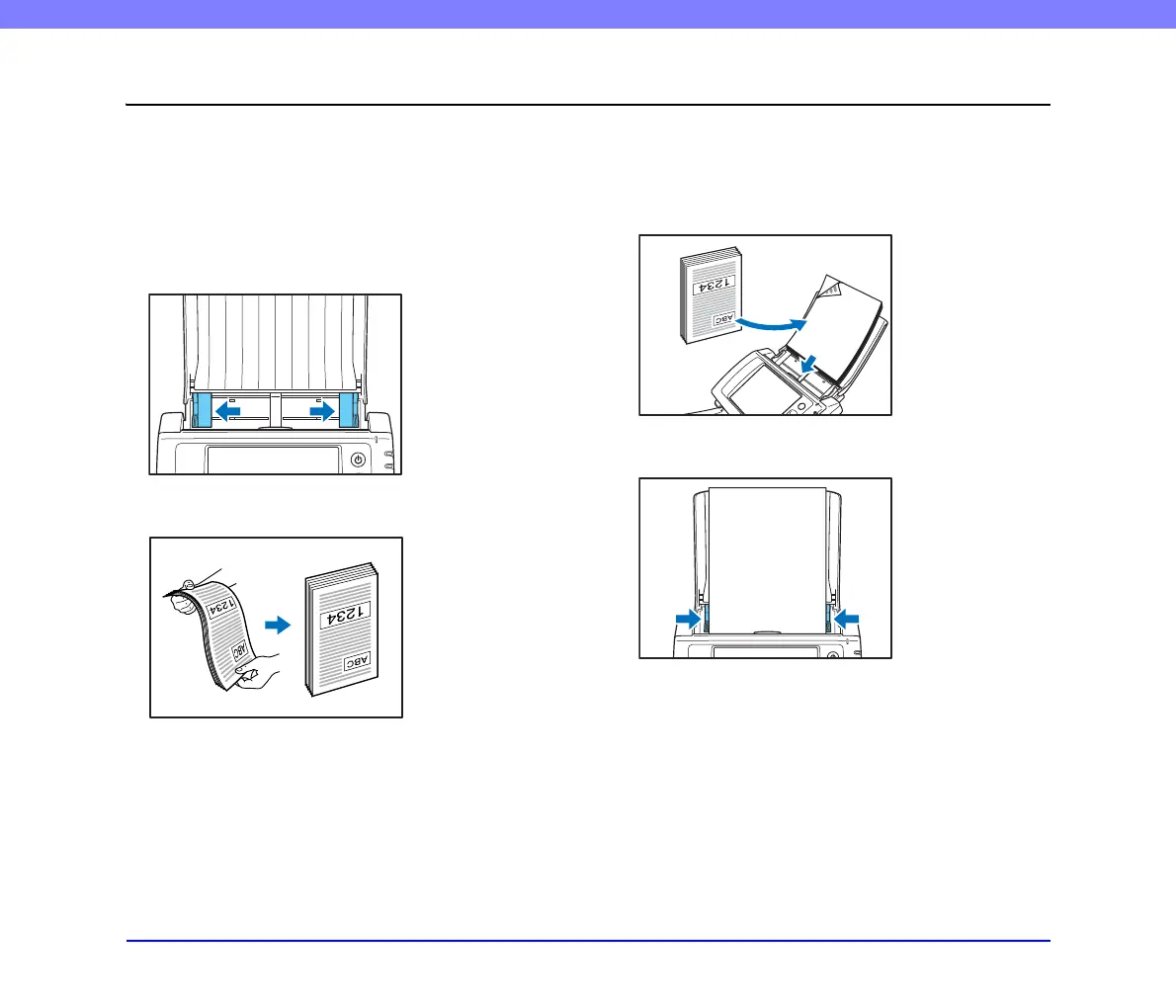
Follow the procedure below to place a document.
1. Adjust the document guides to be wider than the
width of the document.
2. Fan the document to offset the pages so that the top
edge of the first page is the lowest.
3. Place the document face down with its top edge at
the bottom of the tray.
4. Adjust the document guides to fit the width of the
document.








 To Next Page