5-6
Chapter 5 Operating Procedures
❏ Key in Type Login
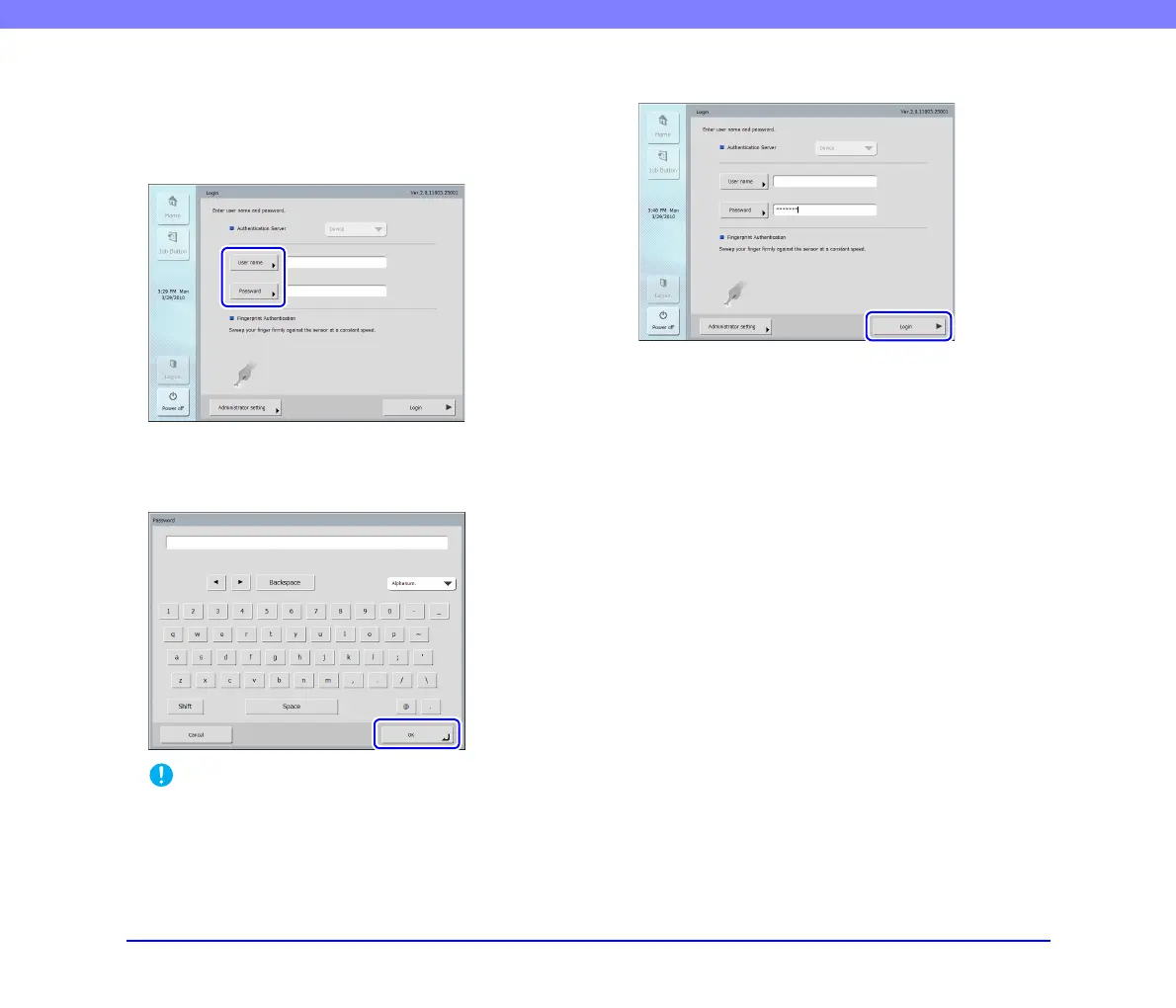
In the key in type login screen, enter your user name and
password to log in.
1. Press [User name] ([Password]).
The keyboard screen appears.
2. Enter your user name (password) and then press
[OK].
IMPORTANT
• User names and passwords are case-sensitive. Make sure to
enter the user and password registered during device
authentication correctly.
• If you do not know the user name and password registered for
server authentication, contact the domain server
administrator.
3. Press [Login] to log in to the scanner.
4. The Home screen (or Job Button screen) appears.








 To Next Page