5-26
Chapter 5 Operating Procedures
4. Modify the address.
Hint
For details on editing items, see “Registering a New Address”
on p. 5-23.
❏ Copying an Address
You can copy addresses between My Address Book and
Shared Address Book.
1. Select the address book entry to copy.
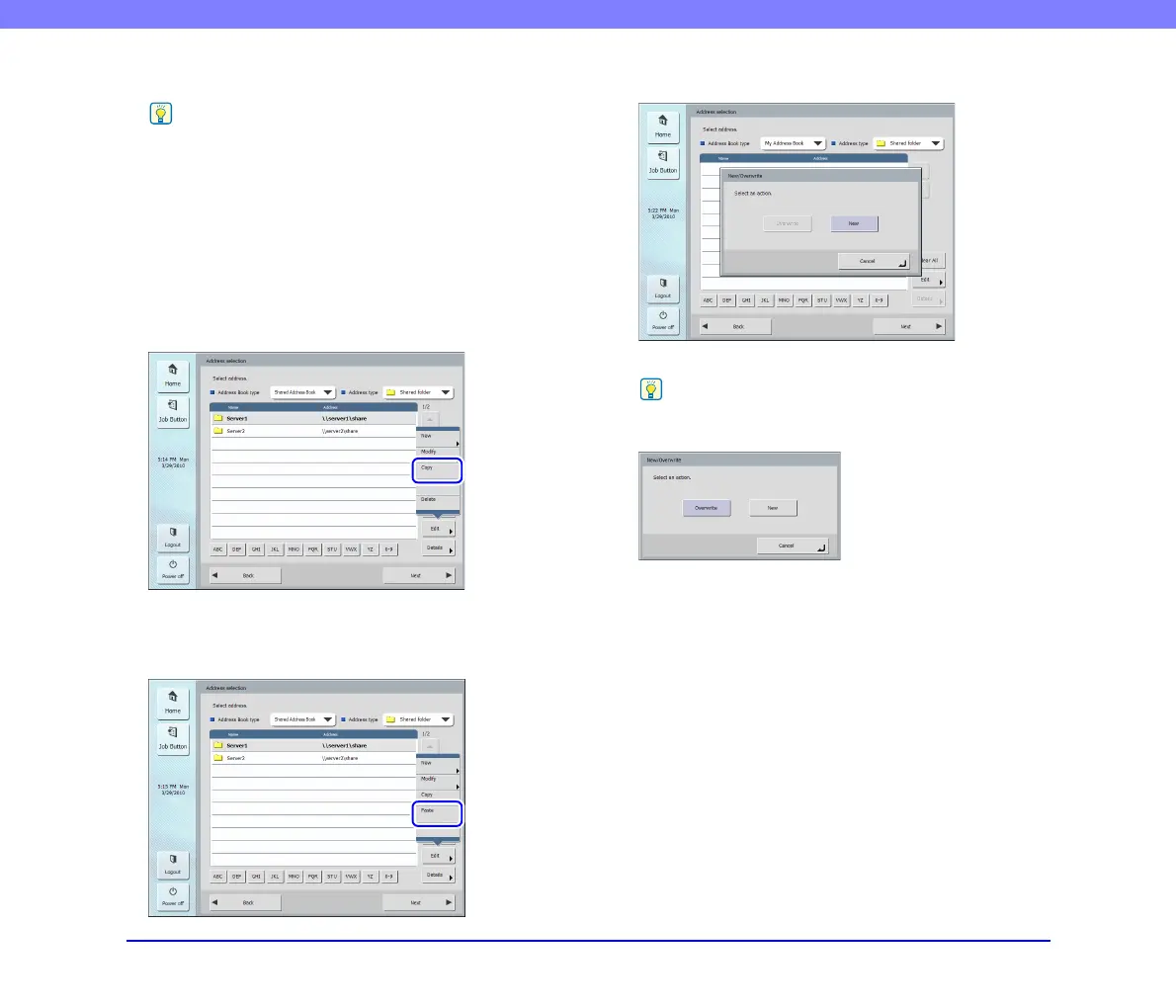
2. Select the address, press [Edit], and then press
[Copy].
The selected address is copied to memory.
3. Select the address book type, press [Edit], and then
press [Paste].
A confirmation message appears.
4. Press [New] and paste the address.
Hint
If the address book already has an address with the same name
as the pasted one, the following message appears.
• If you select [New], an address with the same name is created
in the address book.
• If you select [Overwrite], the existing address with the same
name is overwritten.








 To Next Page