Lock a Job in a DocBox
Introduction
The DocBox allows you to lock the settings of your jobs. Advantages:
• Settings cannot be changed accidentally.
• The job is always printed exactly the same.
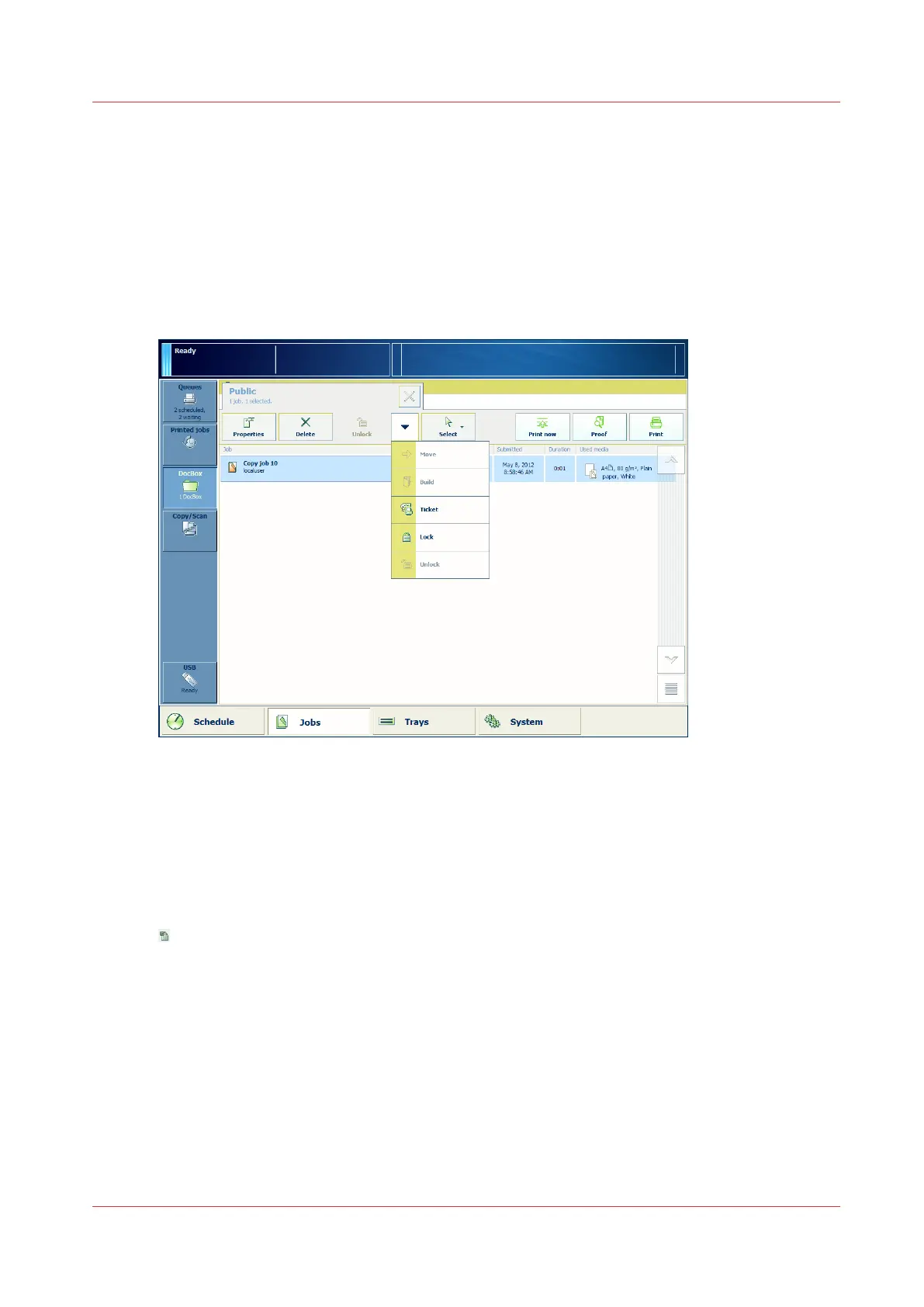
Illustration
[40] Select [Lock].
Procedure
1.
On the control panel, touch [Jobs] -> [DocBox].
2.
Touch the DocBox that contains the job you want to lock.
3.
Touch one or more jobs that you want to lock, or use an option from the [Select] menu to select
multiple jobs at once.
4.
From the drop-down menu, select [Lock].
indicates that the job is locked.
Lock a Job in a DocBox
Chapter 8 - Plan the jobs
145
Canon varioPRINT DP line










 To Next Page