Work with the Workflow Profiles
Introduction
The machine is used in different printing environments. Each environment requires other settings
to optimize the workflow or to meet your personal workflow preferences. The machine contains a
number of default workflow profiles to help you optimize your workflow. The default workflow
profiles are combinations of frequently used settings for print jobs ([Receive], [Print] and
[Output]). However, the workflow profiles cannot cover all the possible workflows you may need.
Therefore, you can also define the settings individually (custom workflow).
This section makes recommendations about when to use which workflow profile. Furthermore,
this section describes the settings and the effects of the settings.
NOTE
The [Workflow profile] button in the [Setup] section of the [System] view displays the name of
the selected workflow profile. When you customized the settings of a workflow profile, the
button displays the text [Custom].
NOTE
The [Workflow profile] button in the [Setup] section of the [System] view displays the name of
the selected workflow profile. When you customized the settings of a workflow profile, the
button displays the text [Custom].
The Use of the Default Workflow Profiles
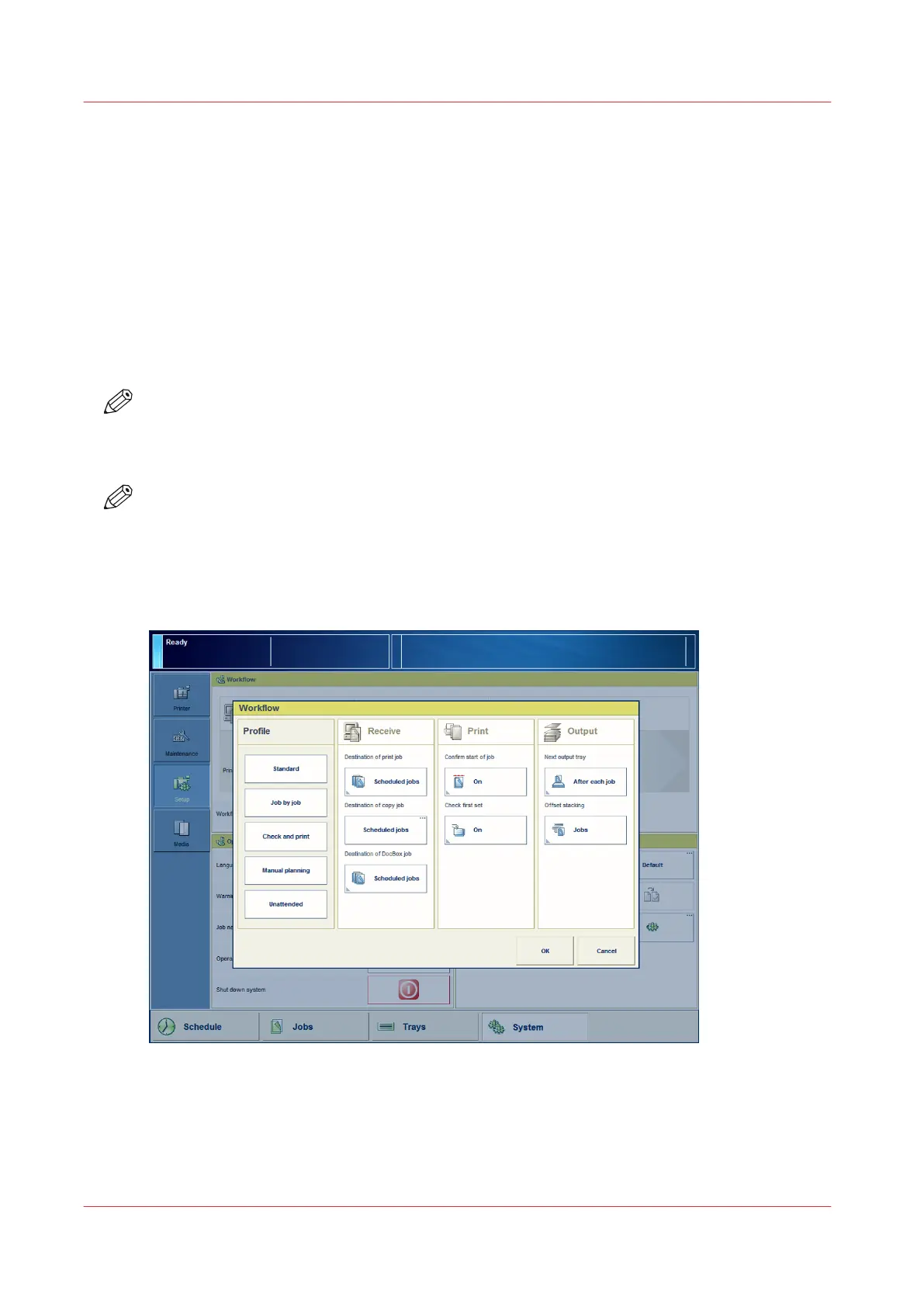
[19] The workflow profiles screen
The following sections make recommendations about when to use which default workflow
profile.
Work with the Workflow Profiles
52
Chapter 5 - Prepare the print system
Canon varioPRINT DP line










 To Next Page