Clear a Paper Jam in the Lower Input Paper Path of the Registration Unit
When to do
• A red LED lights up at the stacker control panel.
• The printer stops. The printer control panel displays the red maintenance icon .
• The printer control panel displays a message that indicates a paper jam in the lower input
paper path of the registration unit.
CAUTION
When the lower input paper path of the registration unit also contains jammed paper, the
printer control panel displays the red maintenance icon . In that case only trained personnel is
allowed to remove the jammed paper.
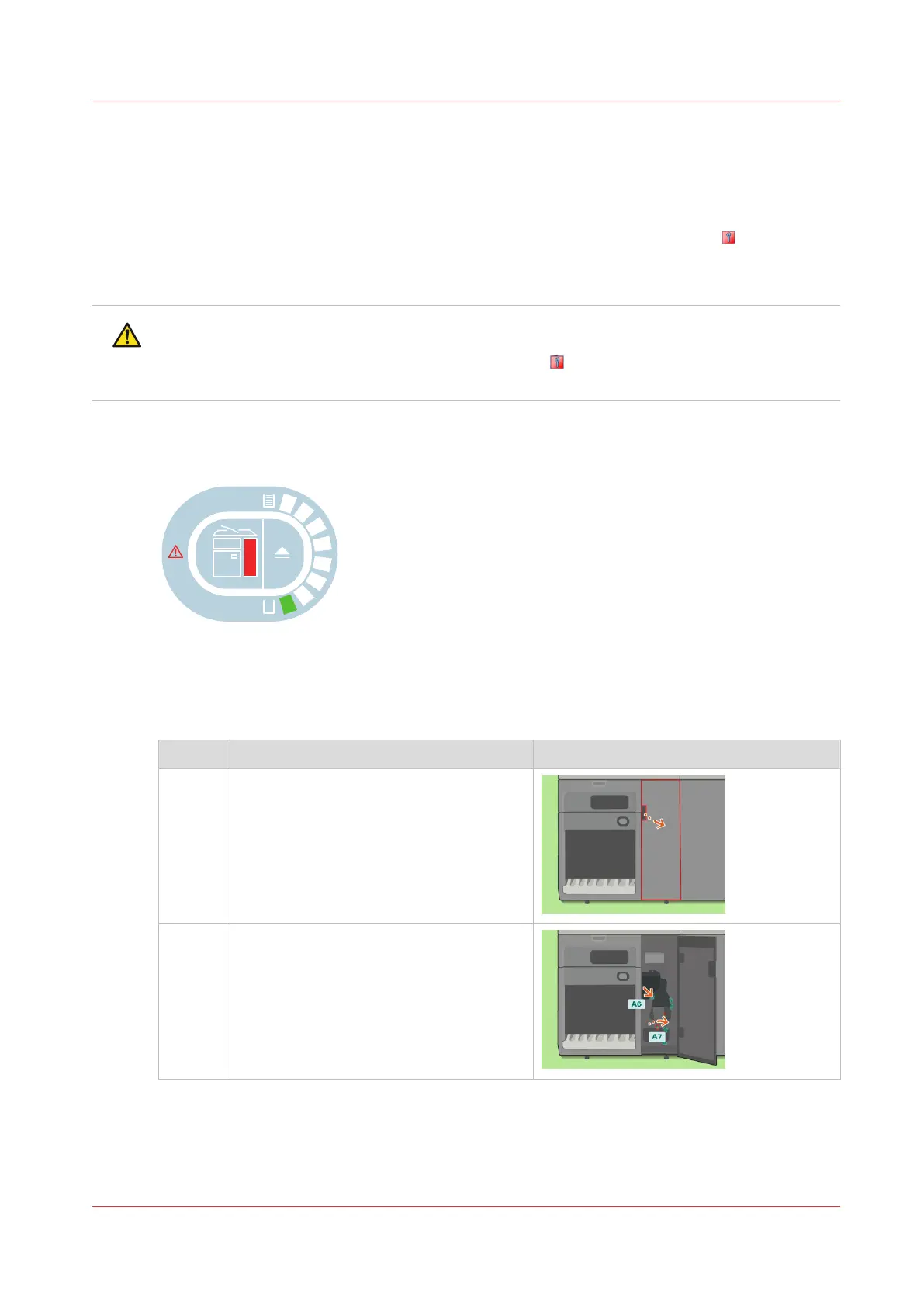
Illustration
[82] Indication at the stacker control panel
Procedure
Clear a paper jam in the lower input paper path of the registration unit
Step Action Illustration
1 Open the front door.
2
Caution: When you turn the knob, be
careful not to get your fingers caught.
Turn A7 to remove the jammed paper.
4
Clear a Paper Jam in the Lower Input Paper Path of the Registration Unit
Chapter 14 - Maintain the print system
413
Canon varioPRINT DP line










 To Next Page