127
Admin Tools
6
This panel is used to adjust video from the camera that is
displayed by each Admin Tool. The panel is available to
the Privacy Mask Setting Tool, View Restriction Setting
Tool, Preset Setting Tool and Intelligent Function Setting
Tool.
Using Control for Admin
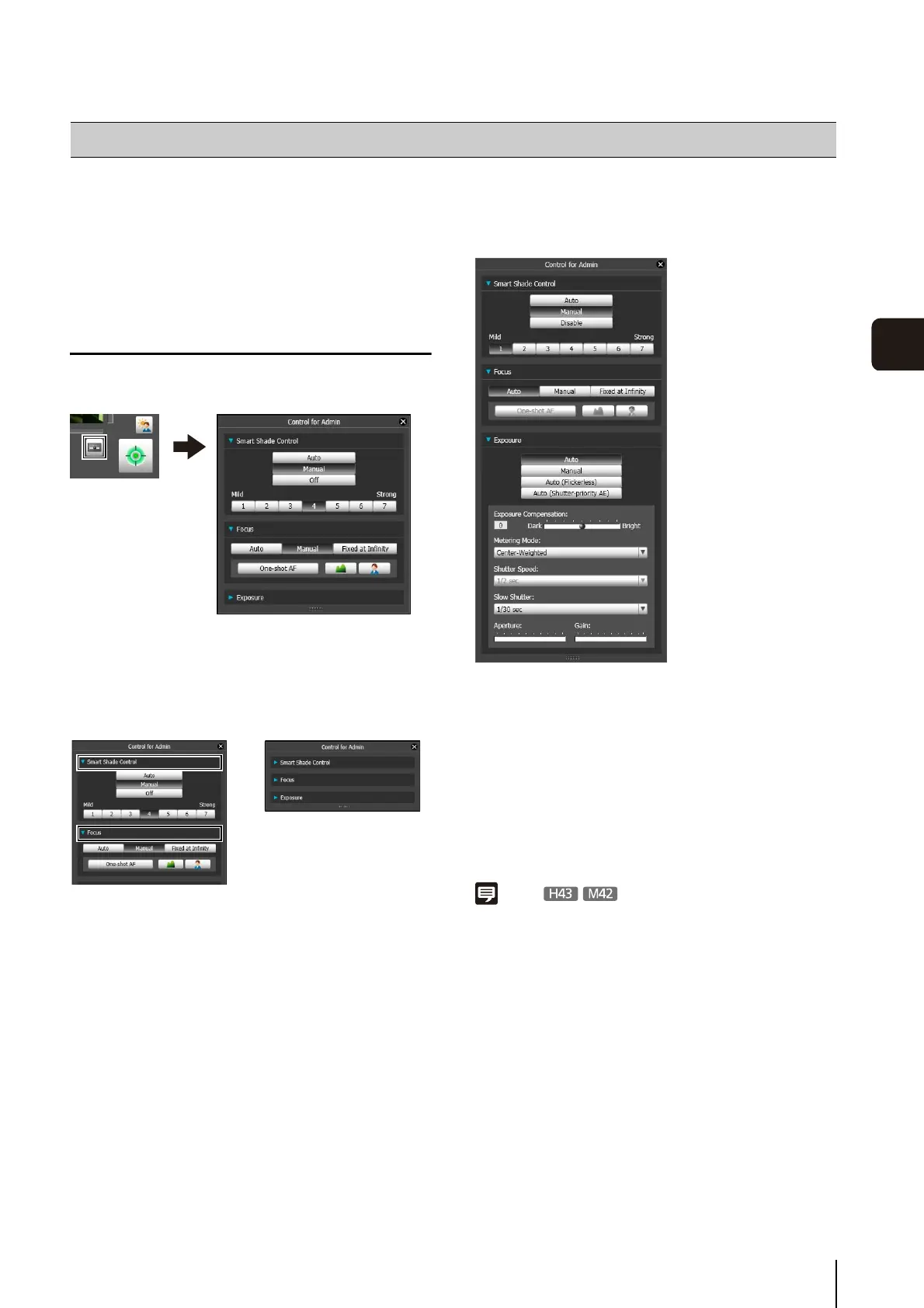
Click the [Control for Admin] button to display the Control
for Admin Panel.
Opening/Closing Control Items
Clicking the title of a control item will open or close the
setting items.
You can display the Control for Admin Panel and open the
various control items even without obtaining the camera
control privileges, but the items will be grayed out.
Operating the Control Items
The panel operates in the same way as Control for Admin
of the Admin Viewer.
[Smart Shade Control]
You can set Smart Shade Control. For details, see “Setting
the Smart Shade Control” (p. 145).
[Focus]
You can adjust focus. For details, see “Setting the Focus”
(p. 146).
[Exposure]
You can adjust exposure. For details, see “Setting the
Exposure” (p. 146).
Note
The items for the Intelligent Function Setting Tool's Control for
Admin will be grayed out if the [Lock camera position] checkbox
is selected (p. 111) in the Intelligent Function Setting Tool.
Control for Admin
⇔



 To Next Page