134
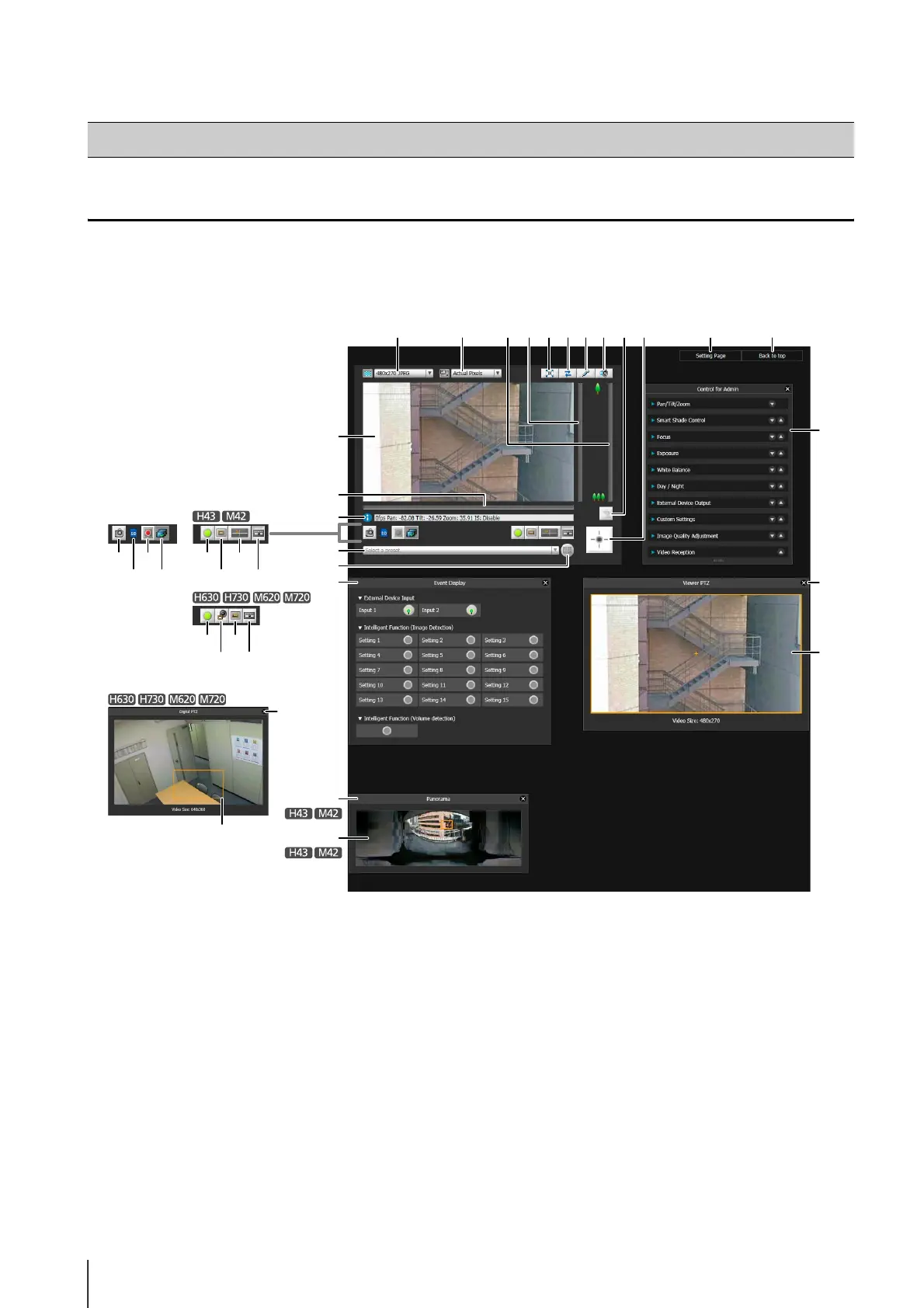
Display Screens of Admin Viewer
The following gives an overview of the functions of buttons, boxes and other screen elements displayed in the Admin
Viewer.
The following screen shows the Admin Viewer with all panels opened. In practice, you only open panels that are necessary,
and can put them anywhere desired in the web browser.
(1) Image Display Area
Displays images received from the camera.
(2) Video Size
Set the size and format of video received from the
camera.
(3) Video Display Size
Set the display size of the image shown on the screen.
(4) [Full Screen Mode] button
Live images are shown in full screen mode.
(5) [Reconnect] button
The camera is reconnected.
(6) [Audio Transmission] button
Displays the Audio Transmission panel.
(7) [Audio Reception] button
Displays the Receive Audio panel.
(8) Slider for tilt
This slider is used to control the tilt (vertical
movement) of the camera.
(9) Slider for pan
This slider is used to control the pan (horizontal
movement) of the camera.
(10)Slider for zoom
This slider is used to control the zoom ratio.
You can zoom in (telephoto) by moving the knob
upwards or zoom out (wide-angle) by moving the
knob downwards.
How to Operate the Viewer
(20)(16)
(32)
(1)
(9)
(17)
(18)
(19)
(13)
(14)
(31)
(33)
(34)
(28)
(10)(3)(2) (8) (4) (6)(5) (7)
(15) (21)
(22)
(18) (19)
(21)
(29)
(23)
(24)
(11)(12)
(25)
(26)
(27)
(30)



 To Next Page