70
(5) [Video Record]
Specify the video record action. When [Enable] is
selected, video will be transmitted to the destination
selected in [Video Record Action] (p. 67) when a timer
event occurs.
(6) [E-mail Notification]
Select the e-mail notification operation to be
performed. If [Enable] is selected, e-mail notification
is performed when a timer event occurs. To use this
function, [Upload] > [E-mail Notification] must also be
set (p. 64).
(7) [External Device Output]
Select whether external device output (1 or 2) is active
or inactive when a timer event occurs. Select [Disable]
to disable output to an external device.
(8) [Day/Night Mode Switching]
Select the Day/Night Mode switching behavior when a
timer event is triggered.
Select [Switch to Day Mode] to switch to Day Mode at
the start time, and Night Mode at the end time.
Select [Switch to Night Mode] to switch to Night Mode
at the start time, and Day Mode at the end time.
Select [Disable] to disable Day/Night Mode switching.
Note
When using timers that run continuously for 24 hours with a
[Repeat Interval] of 30 seconds or less, set the timer start and
end times so the timers can run continuously.
Example:
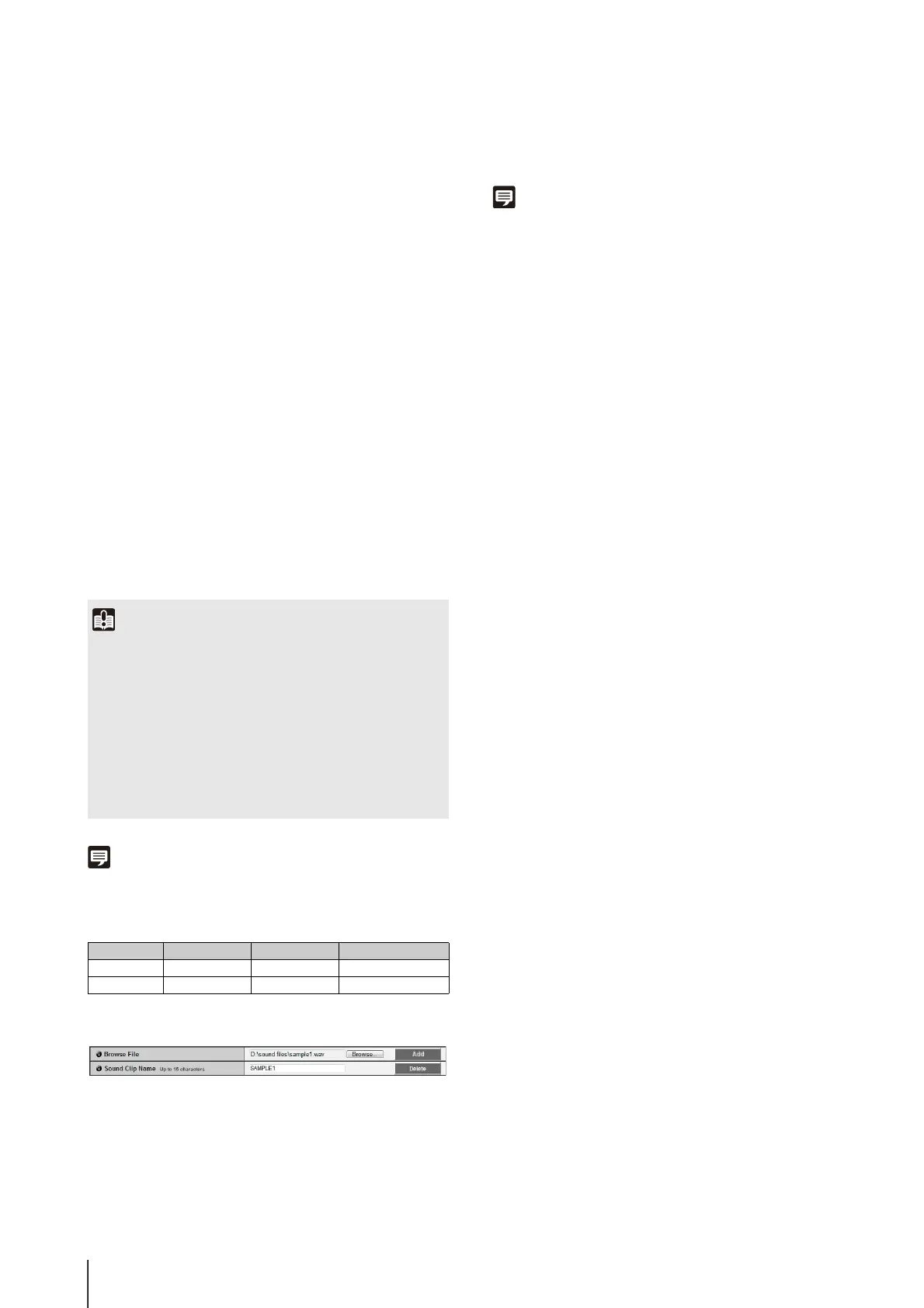
Sound Clip Upload
(1) [Browse File]
Specify the audio file you want to register as the
sound clip, and then
click
[Add].
(2) [Sound Clip Name]
Set a name for the audio file to be registered as sound
playback (up to 15 alphanumeric characters). If a
blank field is applied, the sound clip will be deleted.
To delete a registered audio file, click [Delete] next to
the sound clip name you want to delete.
Note
Audio files must be 20 seconds or shorter and must be “.wav”
files (µ-law PCM 8 bits sampling frequency 8000 Hz, monaural).
Audio file samples are provided in the SOUND folder on the
Setup CD-ROM.
Important
• [Day/Night Mode Switching] can only be set in [Timer 1].
• [External Device Output] and [Day/Night Mode Switching] do
not support [Repeat Interval].
• When [Day/Night] in the Admin Viewer is set to [Auto], Day/
Night Mode switching will not happen when a timer event is
triggered (p. 148).
• If the [Day/Night Mode Switching] settings switch Day/Night
Mode while the Admin Viewer/VB Viewer is assigned camera
control, control will be released.
Timer [Start Time] [End Time] [Repeat Interval]
[Timer 1] 0:00 12:00 10 sec
[Timer 2] 12:00 0:00 10 sec



 To Next Page