7-12
The operations and settings that can be performed only in the Admin Viewer are explained.
Magnifying Part of the Image (Viewer
PTZ)
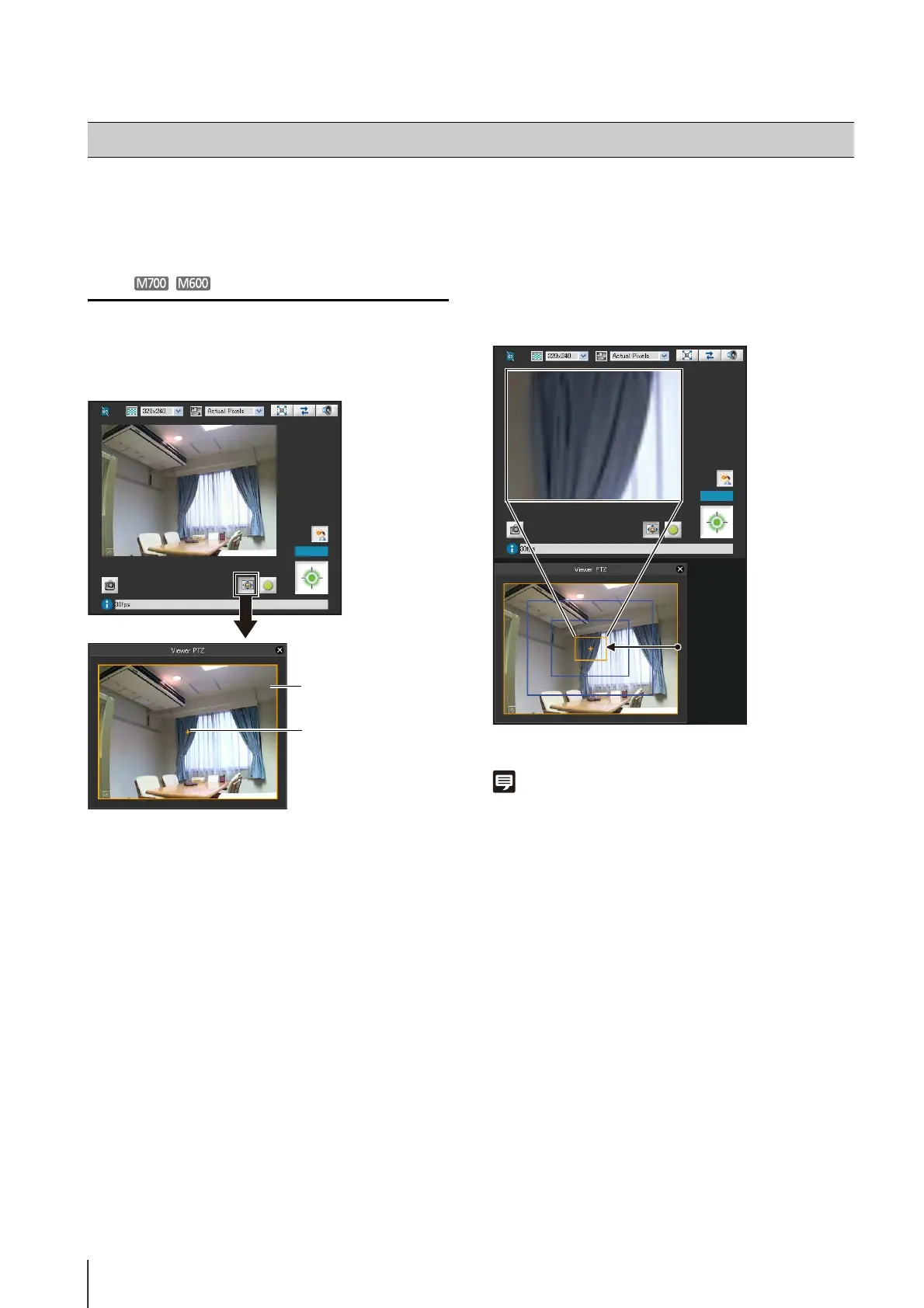
You can use the Viewer PTZ panel to magnify part of the
camera's image in the image display area.
Click the [Viewer PTZ] button to display the viewer PTZ
panel.
The initial status of the Viewer PTZ panel shows the
preview frame (yellow) occupying the entire image.
Adjusting the Preview Frame Size
Drag the preview frame line to make the frame smaller,
and a magnified view of the image in the frame will be
shown in the image display area.
The preview frame turns blue when you drag it.
Note
• The aspect ratio of the preview frame is always 3:4.
• The Viewer PTZ uses digital zoom, so the higher the digital
zoom ratio, the lower the quality of the image becomes.
Performing Operations and Settings as the Administrator
Preview Frame
(Magnified display area)
Center of preview
frame




 To Next Page