Intelligent Function Setting Tool
6-23
6
Admin Tools
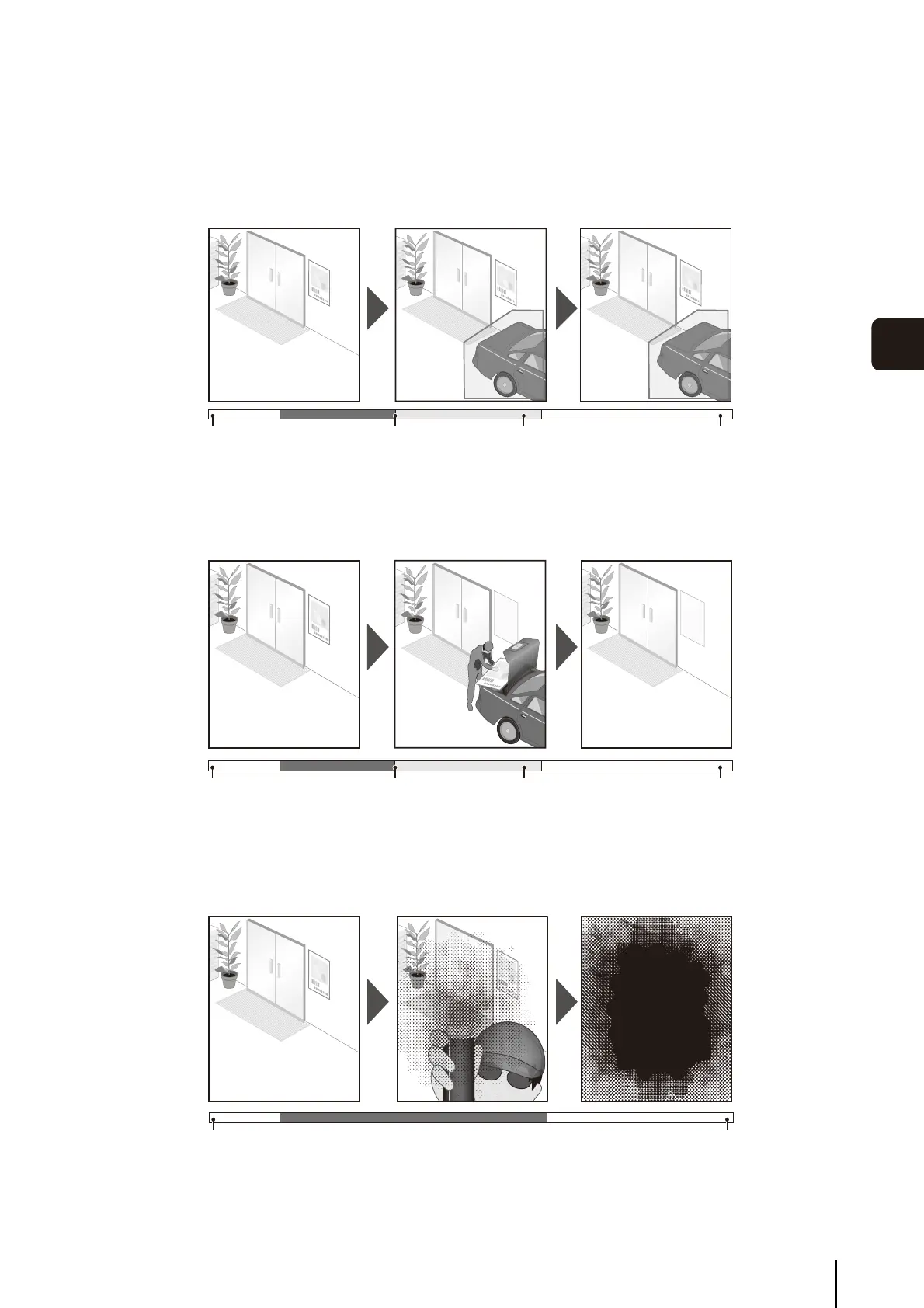
Abandoned Object Detection
Detect objects that are carried in and abandoned for a certain amount of time. This function
can be used to detect objects that have been left.
Abandoned object detection is triggered when an object is left in the detection area for a
specified duration.
Background initialization Abandoned Object DetectionOccurrence Specified duration elapsed
Removed Object Detection
Detect objects that are being removed. This function can be used to detect actions such as
taking away valuables.
Removed object detection is triggered when an object is removed from the detection area
for a specified duration.
Background initialization Removed Object Detection
Occurrence
Specified duration elapsed
Camera Tampering Detection
Detect when the capture is being obstructed. This function can be used to detect when
the camera orientation is changed or the image display is obstructed with spray, etc.
Camera tampering detection is triggered when an area exceeding the set area is
continuously altered by an object, etc.
Background initialization Camera Tampering Detection
Volume Detection
Detect specified volume levels. For setting details, see “Chapter 5 Setting Page” [Event] >
[Volume Detection] (P. 5-20).





 To Next Page