13
Preparing to Use the W-E1
First, insert the W-E1 into the camera and set a nickname (for
identification) for the camera.
When you are connecting the camera to another device wirelessly, the
nickname will be displayed on the device. Be sure to set a nickname
as otherwise you cannot set the wireless functions.
1
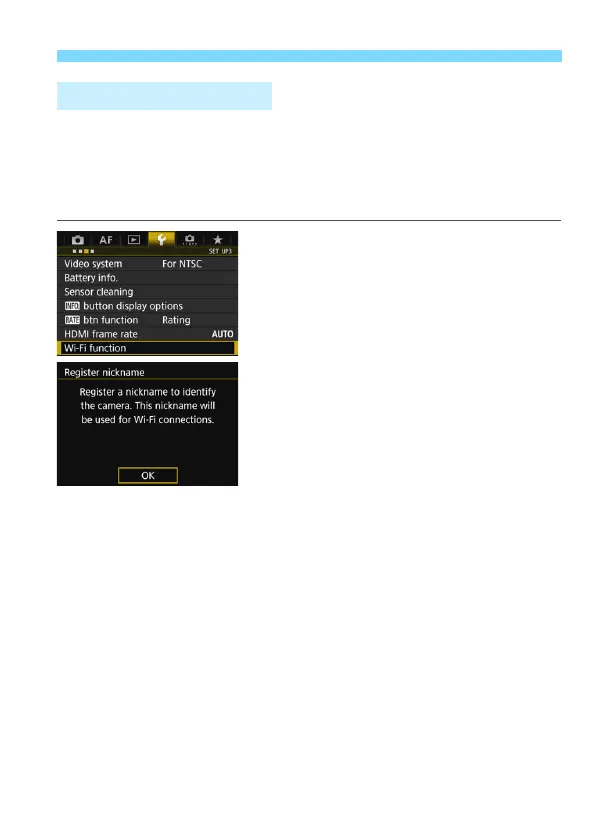
Select [Wi-Fi function].
Press the <M> button, select [Wi-
Fi function] under the [53] tab, and
press <0>.
When this setting is selected for the
first time, a screen to register a
nickname is displayed. Press <0>
and proceed to step 2.
Registering a Nickname



 To Next Page