Zooming
52
Zooming
To zoom in and out, you can use the focus/zoom ring, the zoom rockers on the camcorder and handle
unit, or the zoom controls on the touch screen. You can also zoom using the optional RC-V100
Remote Controller (A 81).
In addition to the 20x optical zoom, you can turn on the digital zoom* (400x) with the >
[v Camera Setup] > [Digital Zoom] setting. This camcorder also features a digital tele-converter,
which allows you to enlarge the image on the screen digitally.
* Digital zoom is not available in mode or when > [v Camera Setup] > [Conversion
Lens] is set to [¿ WA-H58].
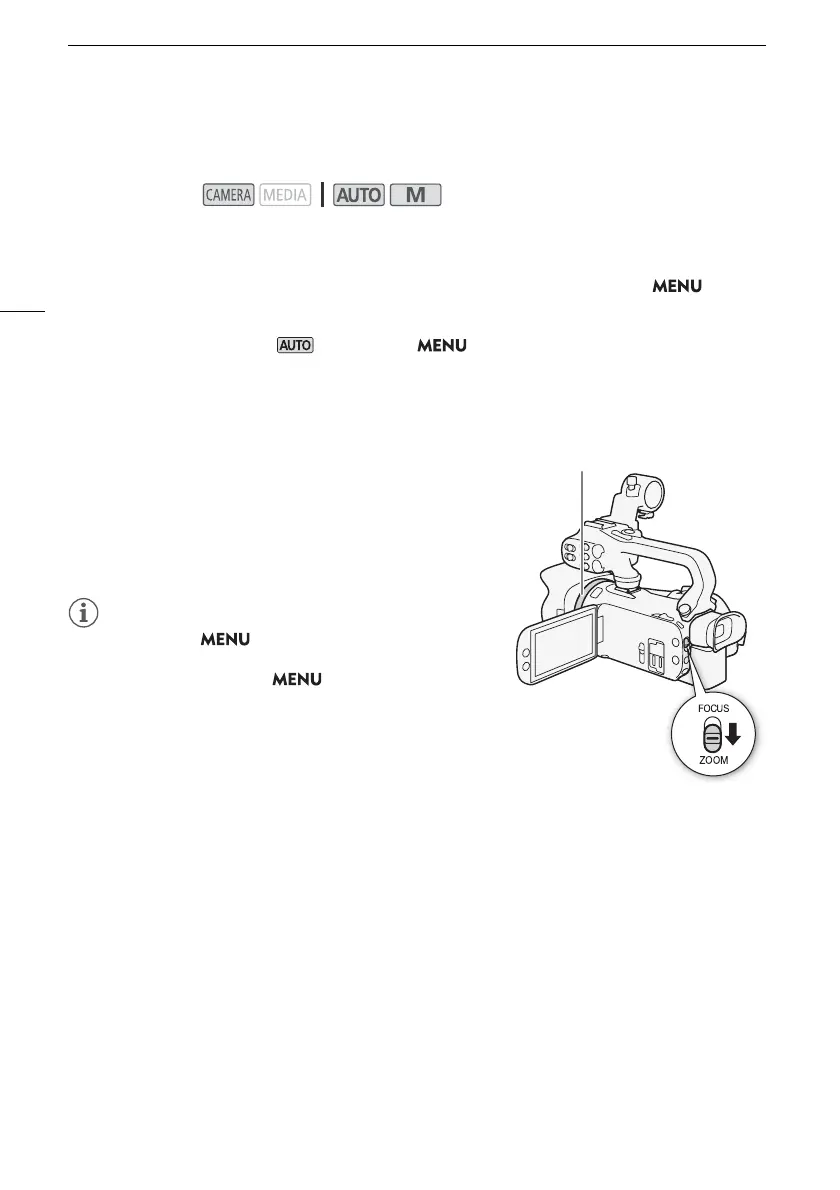
Using the Focus/Zoom Ring
1 Set the focus/zoom ring switch to ZOOM.
2 Turn the focus/zoom ring to adjust the zoom.
• Turn the focus/zoom ring slowly for a slow zoom; turn it
faster for faster zooms.
• The zoom bar that appears on the screen indicates the
approximate zoom position.
• You can use the > [v Camera Setup] > [Focus/
Zoom Ring Operation] setting to disable the focus/zoom ring’s
operation. You can use the > [v Camera Setup] >
[Zoom Ring Direction] setting to select the direction of the
focus/zoom ring’s operation when it is used to adjust the
zoom.
• If you turn the focus/zoom ring too quickly, the camcorder
may not be able to zoom immediately. In such case, the
camcorder will zoom after you finish turning the ring.
Operating modes:



 To Next Page