Audio Output
99
Audio Output
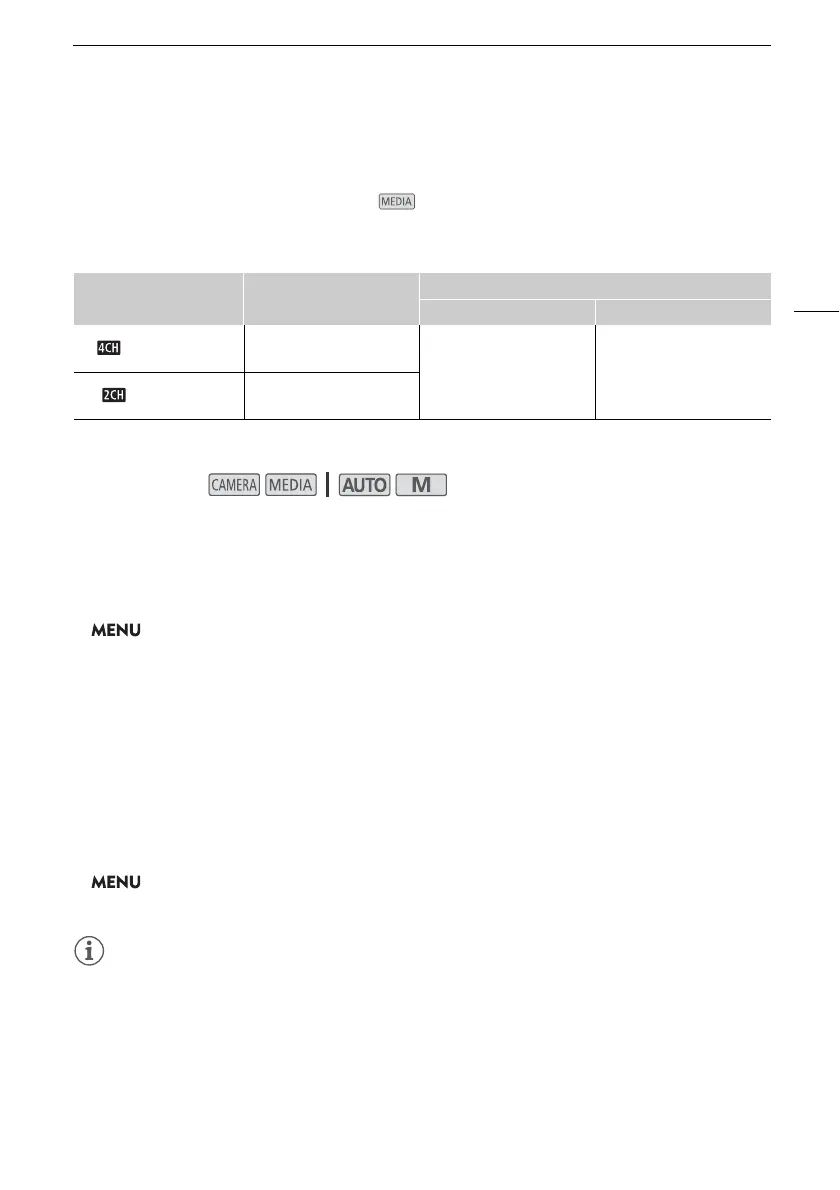
The camcorder can output audio from the SDI OUT terminal (s only), HDMI OUT terminal, ×
(headphone) terminal or speaker (monaural; mode only). When recording or playing back clips
recorded with 4-channel audio, you can select the 2-channel output.
Audio output configuration
1
[3 Recording Setup] > [¸ Audio Format] setting.
Selecting the Audio Channels for Headphone or Speaker Output
You can select the 2-channel output from the × (headphone) terminal or speaker.
1 Select [Monitor Channels].
> [¡#Audio Setup] > [Monitor Channels]
2 Select the desired option and then select [
X].
• The options show combinations of audio channels output from the left and right (L/R),
respectively. Options with a “+” sign ([CH1+2], for example) indicate a mix of two audio channels
on the same side.
Selecting the Audio Channels for HDMI Output
The audio signal output from the HDMI OUT terminal will be 2-channel linear PCM audio (16-bit,
48 kHz sampling).
1 Select [HDMI Channels].
> [¡#Audio Setup] > [HDMI Channels]
2 Select the desired option and then select [
X].
• If you set an assignable button to [Monitor Channels] (A 85), you can press the button to toggle
between the audio channel output options.
MP4 audio format
1
Audio configuration of the
recorded clips
Audio output configuration
s SDI OUT terminal HDMI OUT terminal
[ LPCM 16bit 4CH]
4-channel linear PCM,
16 bit
4-channel linear PCM,
24 bit
2-channel linear PCM,
16 bit
[ AAC 16bit 2CH]
2-channel AAC,
bit rate: 256 kbps
Operating modes:



 To Next Page