Storage
1. Park machine.
2. Clean machine; wash off dirt, mud, and remove grass and other foreign materials after
use.
3. Check machine according to Maintenance Schedule (Page 31). If a problem is found,
repair.
4. Wipe clean steel parts with oiled cloth and grease specied grease points.
5. Change engine oil.
6. Clean air cleaner element.
• Do not wash engine or control panel with running water; water may enter inside
and cause rust or damage.
• Clean machine before storage; dirt or foreign objects may freeze and cause
damage.
• Do not store machine in a humid, dusty, or hot place.
• Fire hazard; do not store machine where there is a possiblity of ignition.
• Battery dischages even when it is not in use. A battery may hold charge for a few
months, but it is a good practice to charge battery before it goes at; it will extend
battery life.
• Refer to Operation Manual for the engine, for detailed instructions on preparing
engine for storage.
NOTE
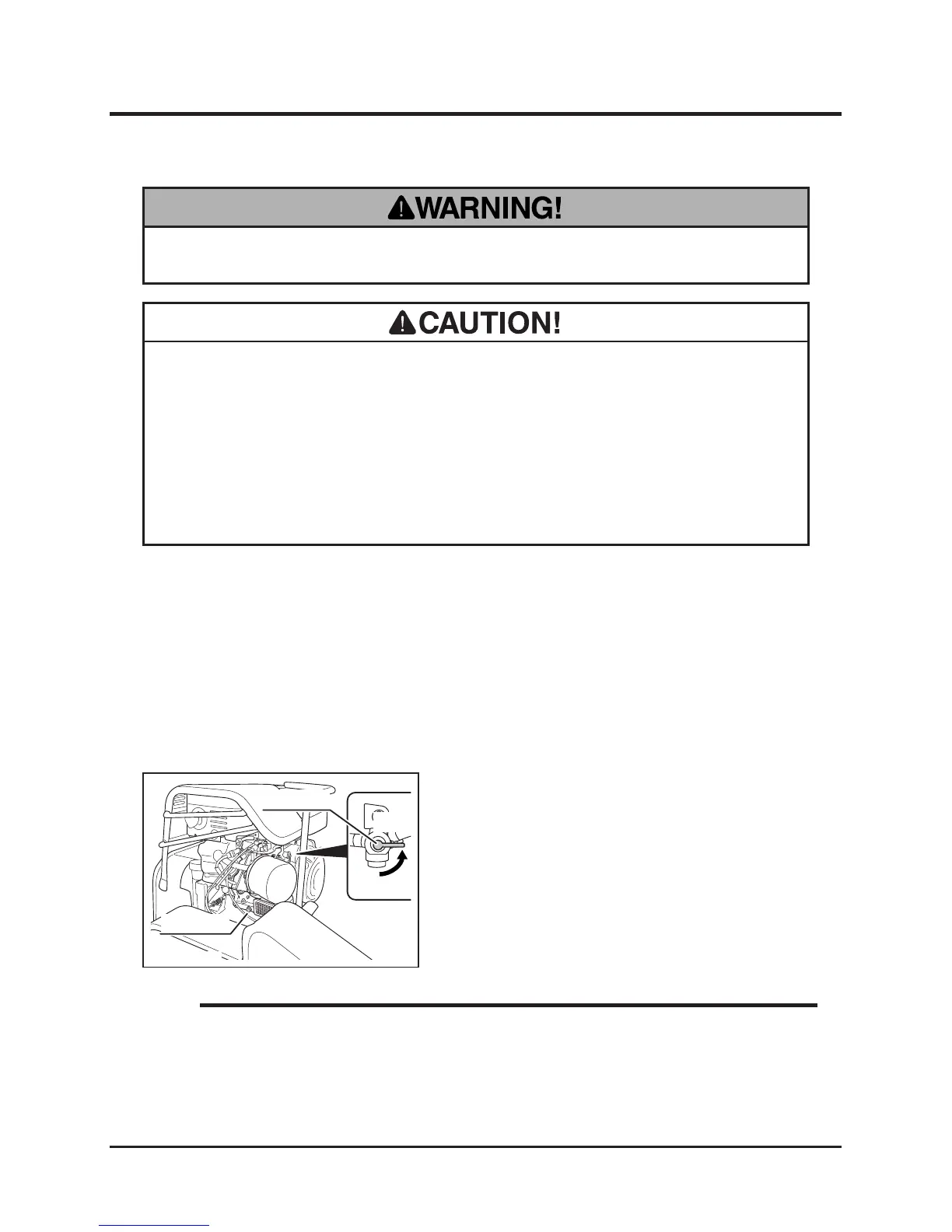
7. Turn fuel cock to [Close] and open drain plug
to drain fuel from carburator.
8. Inate tires to a pressure slightly higher than
the specied value. Chock front and back of
front wheels.
9. Remove battery from machine. Inspect, ll,
and charge battery.
10. Cover machine with protective, water-proof
covering after machine is cooled off.


 To Next Page