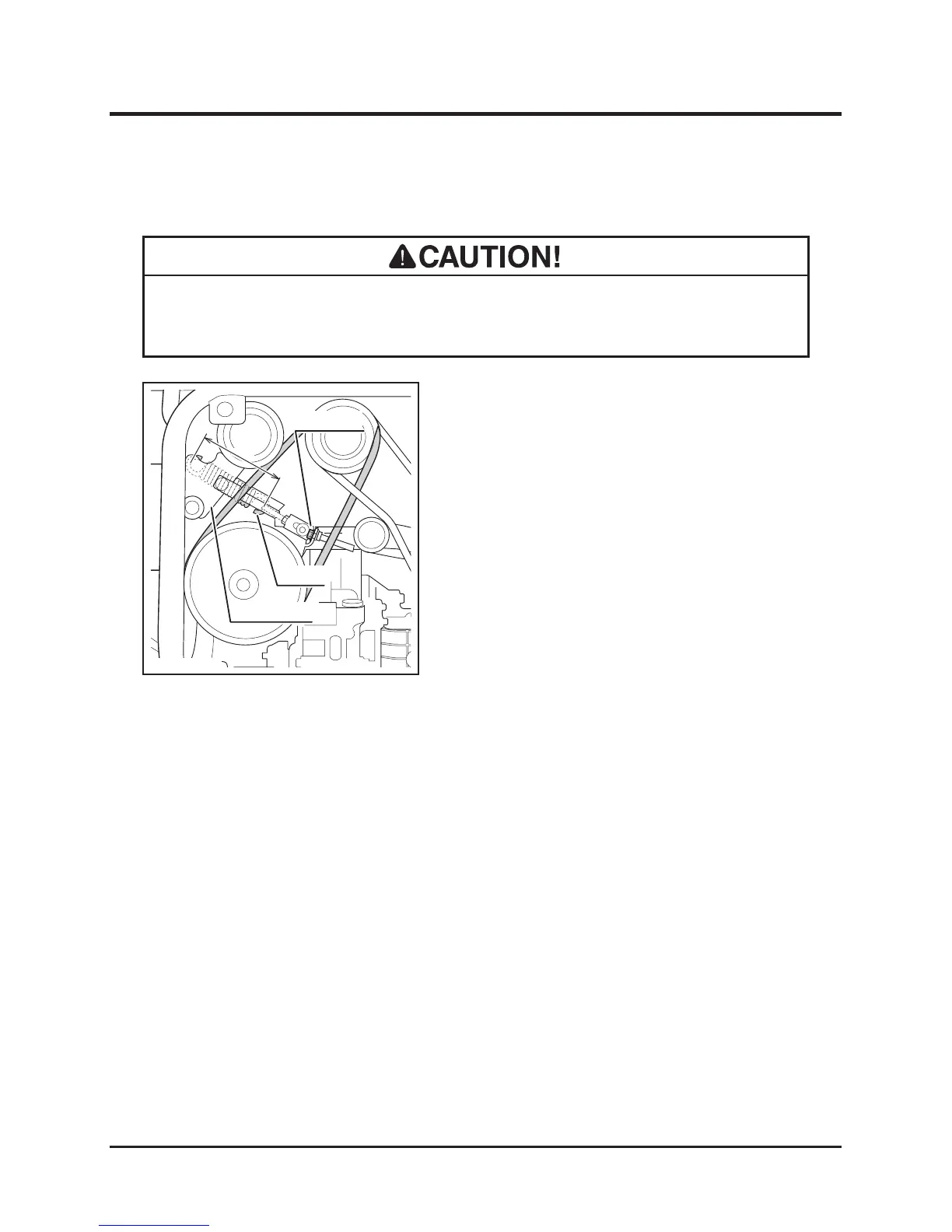
5. Visually inspect belt. Replace belt if it is
damaged. For replacement, contact your
CANYCOM representative.
6. Move cutting rotary clutch lever to [OFF].
7. Move cutting height adjust lever to
[Transport].
8. Close rear cover.
Cutting Rotary Drive Belt
• Adjust belt tension properly. Inproperly tensioned belt may reduce performance
and its service life.
1. Open rear cover.
2. Move cutting height adjust lever to [5]
position on CM141 or [80] on CM142.
3. Move cutting rotary clutch lever to [ON].
4. Check V-belt tension. Inspect that the length
A of spring is within the range of 112 mm to
113mm. If it is out of this range, adjust spring
with adjust nut.


 To Next Page