5332M-0401-120E
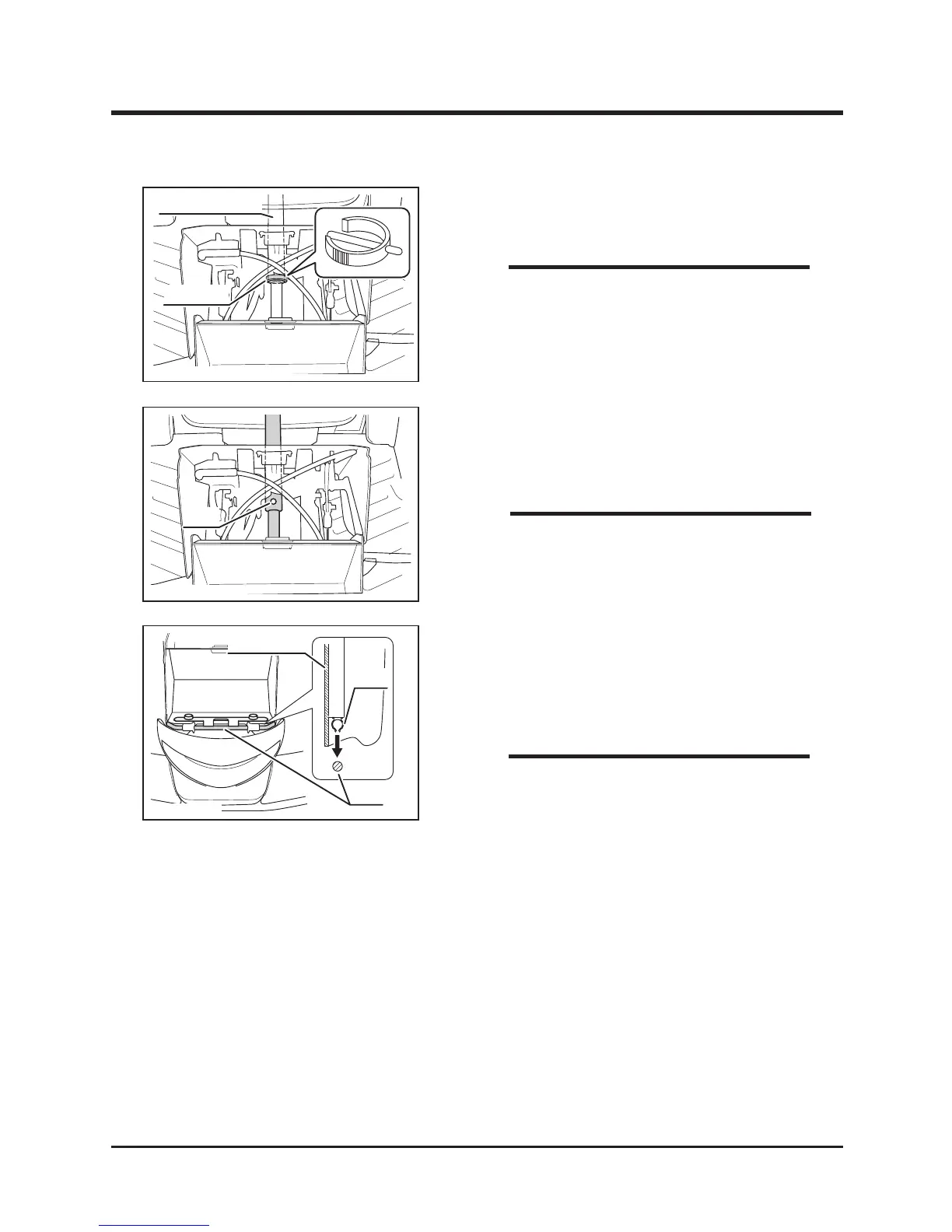
Fixing Pin
Steering Column
3. Remove xing pin from steering column in
the front of machine.
• If fixing ping is in the difficult direction to
remove, steer the steering wheel to change
direction of the pin so that the pin can be
easily removed.
NOTE
4. Adjust steering wheel height in prefered
position. Line up holes on steering shafts
and insert pin.
• Move steering wheel up and down to check
if the steering wheel is xed securely.
5332M-0401-140E
Front Cover
Clip
Rod
5. Raise steering wheel angle.
6. Fit clip on back side of front cover into the
rod.
7. Latch top edge of the front cover.
• Pay attention not to catch the front cover by
the plate on both sides when installing front
cover.
NOTE
NOTE



 To Next Page