Cutting Rotary Brake
• Never place any part of body under cutting blade shield when cutting blade is
rotating.
• Do not allow bystanders to come near machine when inspecting cutting rotary
brake.
• Ride on machine when inspecting.
• Never attempt to check the performance of cutting rotary blake with cutting
blade shield open. Stones or rocks can be thrown and cause damage to
surrounding properties or persons.
• Inspect cutting brotary brake whenever the performance of it seems inadequate.
Inspecting
1. Start engine.
2. Turn throttle lever to [ (fast)] to raise engine speed.
3.
Move cutting height adjust lever to [150] for CMX224 and CM225, or to [130] for CM184.
4. Move cutting rotary clutch lever to [ON] to rotate cutting blade.
5. Move cutting rotary clutch lever to [OFF] to observe if cutting blade stops within 5
seconds. If it takes more than 5 sconds to stop, adjust cutting rotary brake.
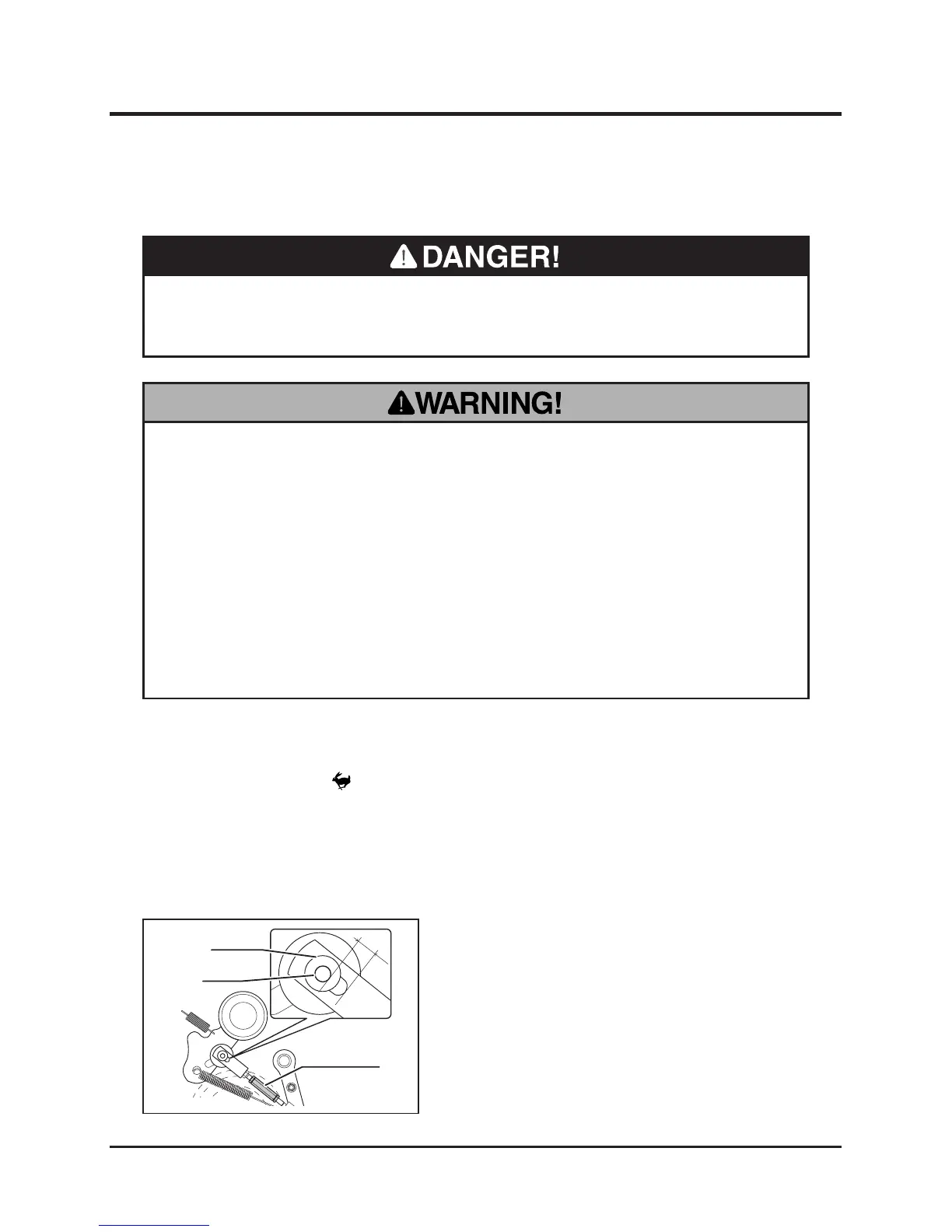
Adjusting
1. Remove lower rear cover.
2. Adjust the gap A is to be 6mm with turn
buckle
3. Install lower rear cover back in place.
4. Inspect again. If cutting rotor blades do
not stop in 5 second, please contact your
CANYVOM representative.



 To Next Page