EasyManua.ls Logo

CanyCom CMX 224 - Cutting Operations

CanyCom CMX 224
93 pages
Print Icon
To Next Page IconTo Next Page
To Previous Page IconTo Previous Page
Loading...
Operation
-34-
4
Working
Inspecting Cutting Blade
Inspect cutting blade before work. Refer to Cutting Blades (page 63) for inspection
procedure.
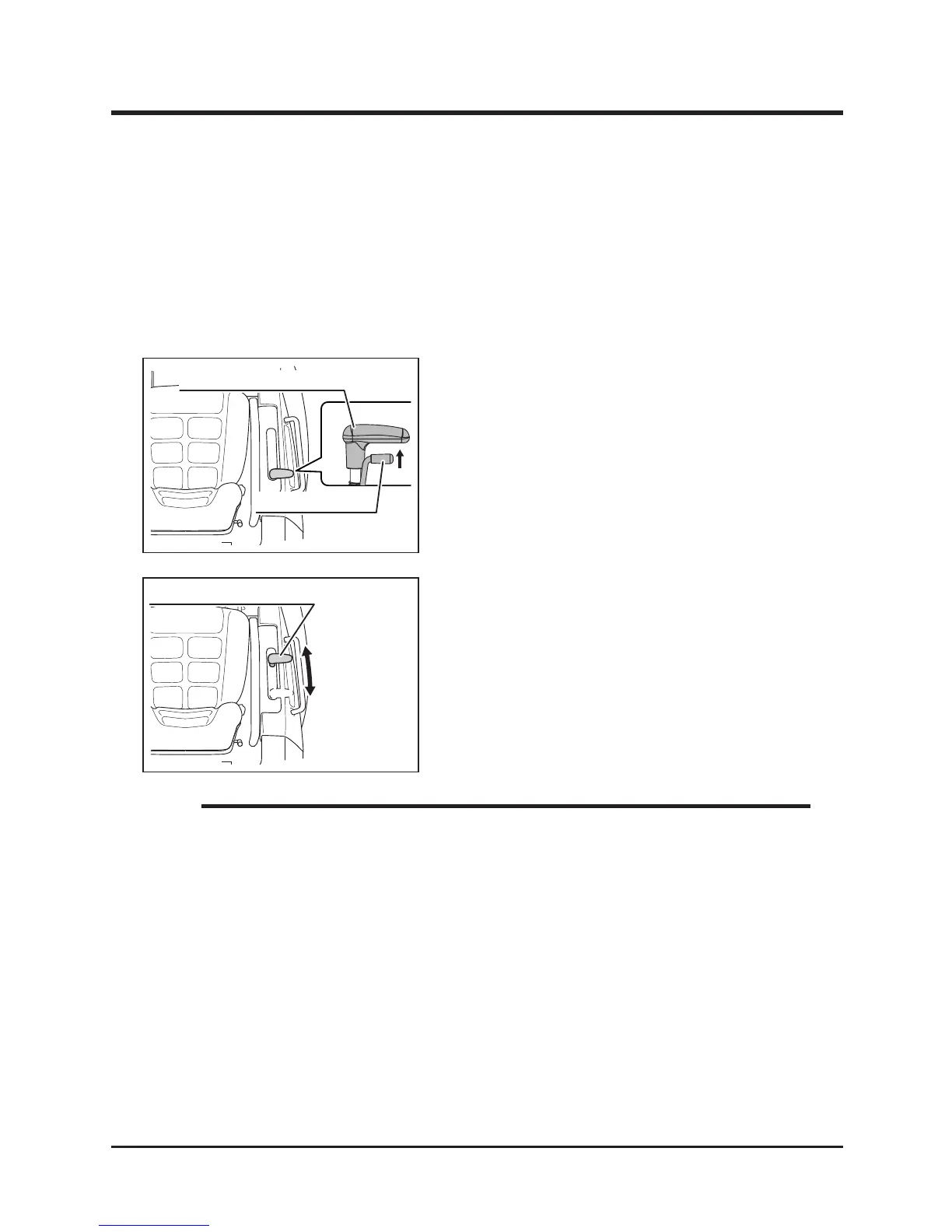
Adjusting Cutting Height
1. Grab cutting height lock to unlock cutting
height adjust lever.
2. With lock button pulled up, move cutting
height adjust lever to a desired position.
3. Release lock to lock cutting height adjust
lever.
Cutting Height Range: 0mm - 150mm (CMX224, CM225)
0mm - 130mm (CM184)
Cutting Height indicated on the side of the adjust lever is for reference purpose
only; actual cutting height may vary due to the condition of ground or brush, and
other factors.
NOTE


Related product manuals