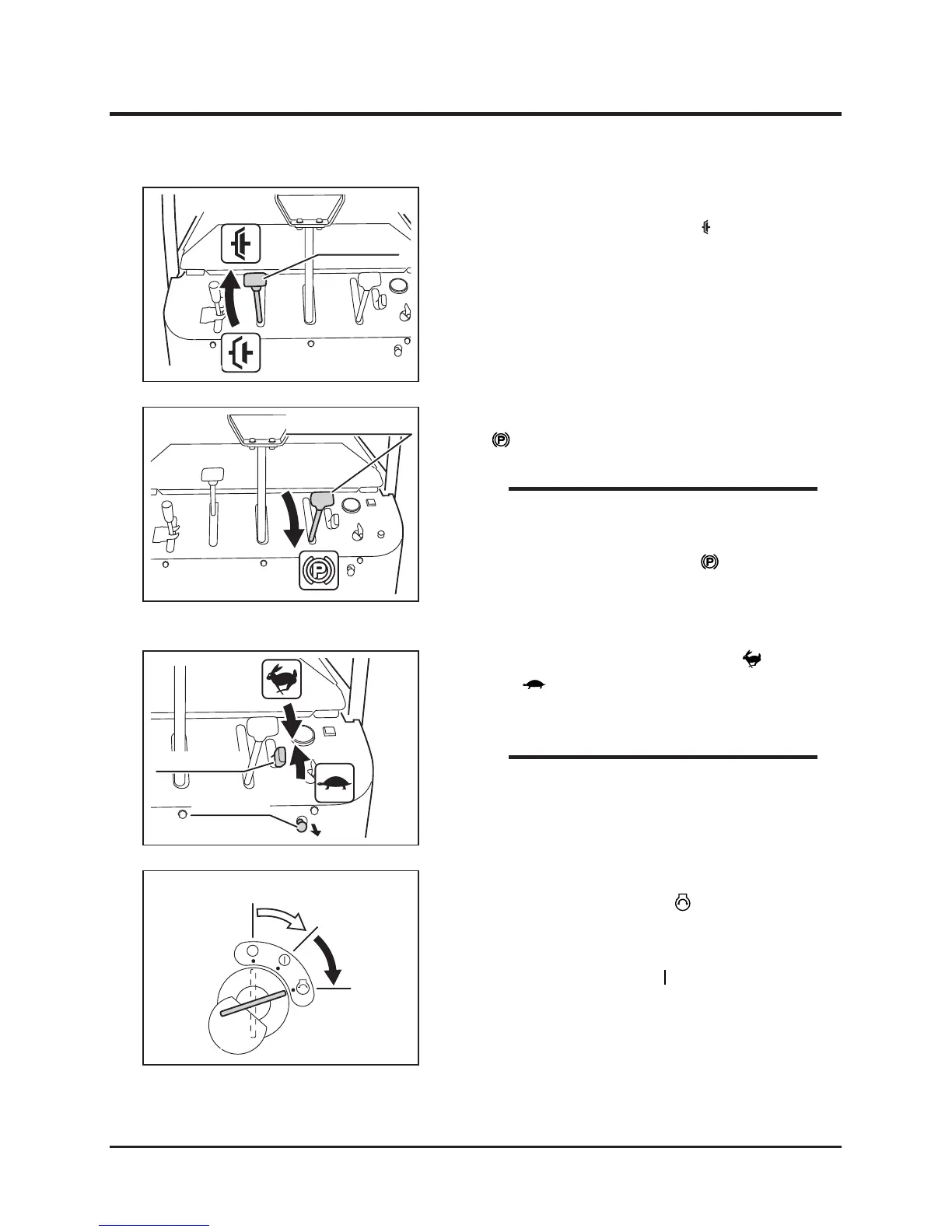
3. Move the clutch lever to [ (engaged)]
position.
5. Set the throttle lever in between [ (fast)]
and [ (slow)] positions.
6. Pull the choke knob.
4. M o v e t h e p a r k i n g b r a k e l e v e r t o
[ (engaged)] position.
• The engine cannot be started unless the
control stick is in neutral and centered,
and the parking brake is in [ (engaged)]
position. This is due to the safety feature on
this product.
7. Insert the key into the main switch.
8. Turn the main switch to [ (start)] position
to start the engine. Once the engine starts,
release the key immediately; the switch will
automatically return to [ (run)] position.
Normal Starting
NOTE
• W h e n t h e e n g i n e i s w a r m , i t i s n o t
necessary to pull the choke knob.
NOTE



 To Next Page