7
Configeration procedure
The table must be configured. Please implement the following steps:
I) Important! Before you start, make sure there are no pots or pans on the hob
II) Disconnect the appliance from the grid by removing the fuse or turning the circuit breaker off
III) Reconnect the hob to the grid
IV) Procedure:
* Take a pot with a ferromagnetic bottom with a minimum diameter of 16 cm
* start the procedure within 2 minutes after reconnecting the hob to the grid
* don’t use the [ ] touch
V) First step: cancel the existing configuration
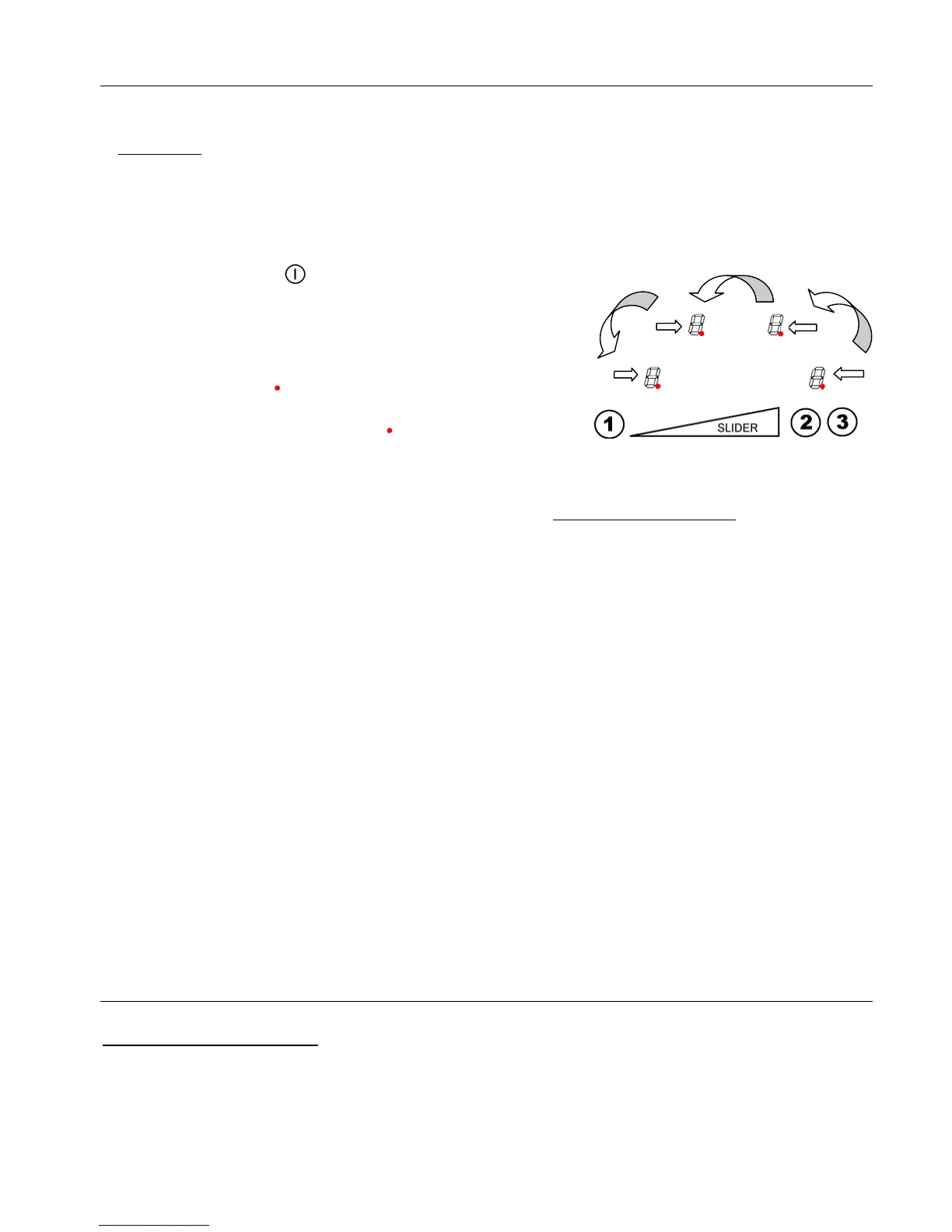
1) Press the touch n°2 and hold down
2) The symbol [ ] will appear on each display
3) With your other hand, press successively and
quickly (less than 2s) on each [ ] display.
Begin from the front right side and go counter
clockwise, as shown on the picture (a -> b -> c -> d)).
A double "beep" means an error has occurred. If so, start again from step 1).
4) Remove your fingers from the touch control, then push again on touch 1 for a few
seconds, until a blinking [ E ] symbol appear.
5) Wait until the [ E ] symbol stop blinking.
6) After few seconds, [ E ] is automatically transformed in [ C ].
The existing setup has been cancelled.
VI) Second step: new setup
1) Take a pot with a ferromagnetic bottom with a minimum diameter of 16 cm
2) Select a cooking zone by pushing on the corresponding [ C ] display
3) Place the pot on the area to be set
4) Wait until the [ C ] display becomes a [ - ]. The selected cooking zone is now
configured.
5) Follow the same procedure for each cooking zone with a [ C ] display.
6) All the cooking zones are configured once all the displays are turned off.
Note: …..Please use the same pot for the whole procedure.
Never put several pots together on the zones during the setup-process.
What to do in case of a problem
The symbol [ E4] appears :
Reconfigure the table
If the symbol remains, please contact Caple service on 0117 938 7420 or by
email service@caple.co.uk



 To Next Page