51
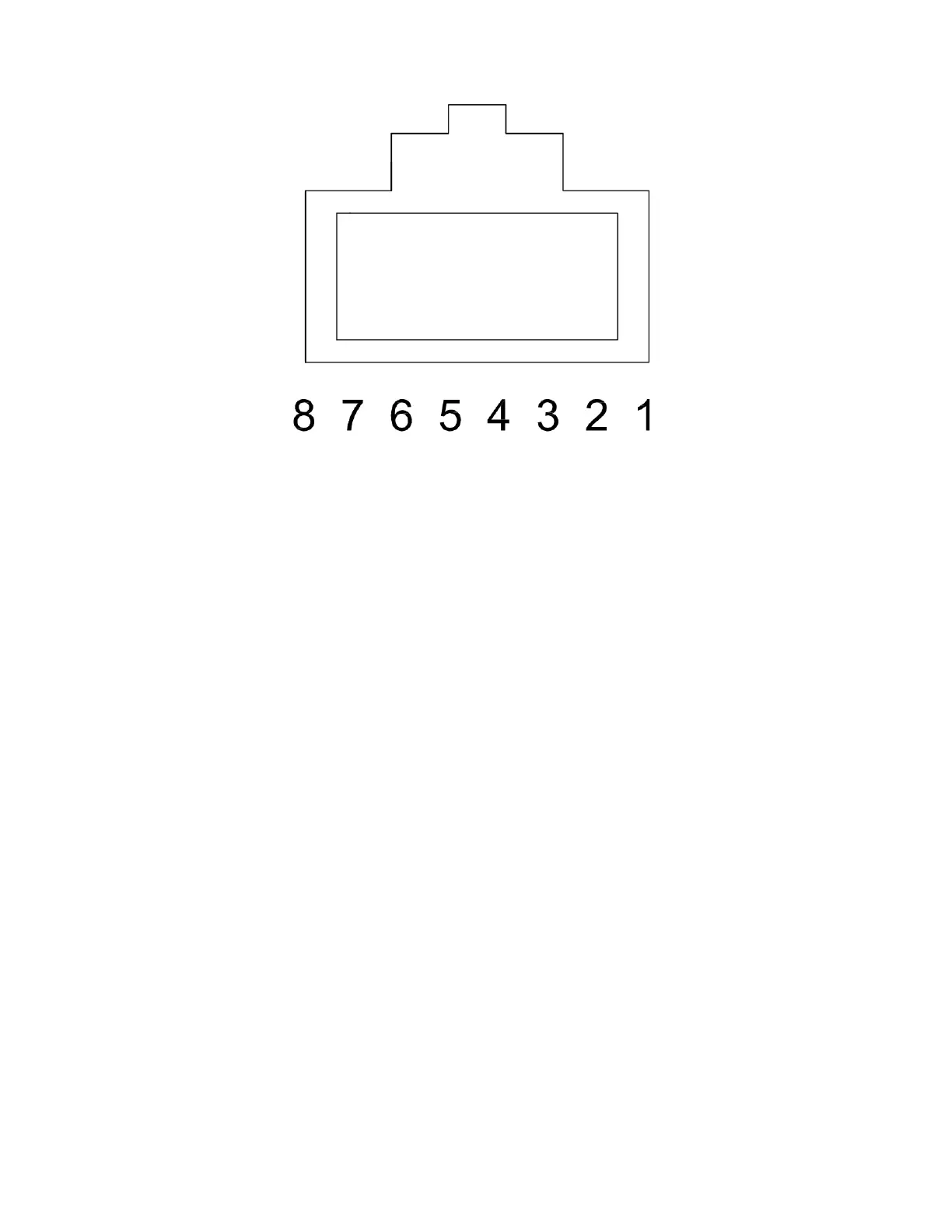
Figure 33. Looking Into Rear Opening of RJ45 Connector
Match the numbers of the wire color coding in Figure 31 with the numbers in Figure 33. NOTE: Figure 33 is the
view looking into the rear opening of the RJ45 connector. Ensure that the wires are completely inserted into
the connector. You can accomplish this by looking at the tip of the RJ45 connector (the end without the opening)
and being able to see the copper ends of each wire pushed up against the plastic. Insert the RJ45 connector into
the crimp tool and crimp the connector. Repeat this for the other end of the CAT5 cable. Use a CAT5 tester to
ensure connectors were installed properly.


 To Next Page