EasyManua.ls Logo

Cardinal 210 - User Manual

Cardinal 210
47 pages
Print Icon
To Next Page IconTo Next Page
Loading...
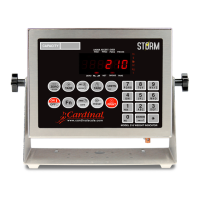
200 SERIES
WEIGHT INDICATING INSTRUMENT
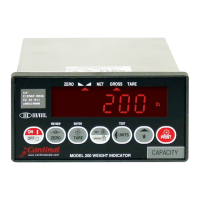
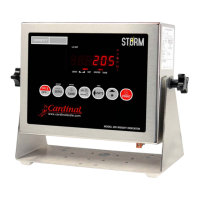
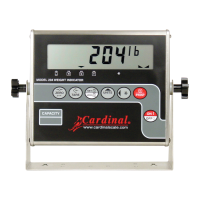
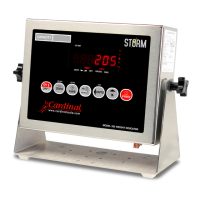
MODELS 200, 205 and 210
TECHNICAL and OPERATION MANUAL
8200-M024-O1 Rev D
PO BOX 151 WEBB CITY, MO 64870
Printed in USA
04/01
PH
(
417
)
673-4631 FAX
(
417
)
673-5001
http://www.cardinalscale.com

Other manuals for Cardinal 210

Questions and Answers

  • D
    Danielle ClarkSep 8, 2025
    What does HuH? mean on Cardinal 210, and what should I do?
    • J
      John ScottSep 8, 2025
      If your Cardinal Accessories displays 'HuH?', it means the UNITS key was pressed in an attempt to perform a unit conversion that is not allowed. Determine the reason for the error display and take the appropriate corrective action.
  • B
    Briana PhillipsSep 10, 2025
    What to do if Cardinal Accessories displays CALbtn?
    • J
      Jennifer MartinSep 10, 2025
      If the 'CALbtn' is displayed on your Cardinal Accessories, release the switch. Ensure the correct screw (#10 x ½ Stainless Steel fillister head) was installed for the calibration access screw. Make sure the calibration switch cable is plugged into P7 on the PC board. You may need to replace the calibration switch assembly.
  • D
    Debbie WhiteSep 12, 2025
    What does notArE (no tArE) mean on Cardinal 210?
    • M
      Mary PatelSep 12, 2025
      If your Cardinal Accessories displays 'notArE', it means the NET key was pressed with no stored tare weight value. Determine the reason for the error display and take the appropriate corrective action.
  • S
    Steven KellySep 13, 2025
    What to do if Cardinal Accessories display does not turn on?
    • S
      Susan JenkinsSep 14, 2025
      If the display on your Cardinal Accessories doesn't turn on, check the following: Ensure the AC power cord is fully inserted into the wall receptacle. Verify the wall receptacle has proper AC power by testing it with another electrical appliance. Check the circuit breaker. Also, consider whether there has been a power failure.
  • K
    kristina05Sep 15, 2025
    What does it mean if Cardinal 210 printer prints a test ticket or does not use Print Tab Settings?
    • R
      Rodney TuckerSep 15, 2025
      To ensure your Cardinal Accessories printer uses the Print Tab Settings or prints the correct ticket, select the desired ticket format before weighing or printing: 1. Press the ? key then the PRINT key. 2. Press the ENTER key to show the current value. 3. Press the ENTER key again to save it if acceptable. 4. If incorrect, enter the new value using numeric keys, then press ENTER. Alternatively, just before printing: 1. Press the desired format number. 2. Press the PRINT key. Allowable values are: 0 = print tab settings, 1 = visual ticket format 1, 2 = visual ticket format 2. Remember, the selected format remains active until changed.
  • K
    Kellie PopeSep 18, 2025
    What does it mean if Cardinal 210 Accessories says an invalid keypad entry was attempted?
    • T
      taraellisSep 18, 2025
      If your Cardinal Accessories indicates that an invalid keypad entry was attempted, determine the reason for the error display and take the appropriate corrective action.

Summary

Static Electricity Precautions

Specifications

Standard Features

Core functionalities and capabilities included with the standard instrument models.

Site Preparation Requirements

Electrical Power

Requirements and precautions for connecting the instrument to the electrical power supply.

Precautions

Installation

Mounting the Model 200

Guidance on how to physically mount the Model 200 enclosure.

Mounting the Models 205 and 210

Instructions for wall or desk mounting the Models 205 and 210 enclosures.

Load Cell Connection

Procedure for connecting the load cells to the instrument.

Serial I;O Cable Installation

Preset Weight Comparator;Checkweigher Output

Keypad Functions - Model 200 and 205

Annunciators - Models 200 and 205

Keypad Functions - Model 210

Preset Key Functions

Annunciators - Model 210

Setup and Calibration

Models 200 and 205 Setup Procedures

Step-by-step guide to setting up parameters for Models 200 and 205.

Model 210 Setup Procedures

Setup Modes (USA, LFt)

Digital Output and Sleep Mode (d out, SLEEP)

Analog to Digital Filtering (dFLt)

Calibration

Calibration Procedures (CAL1, CAL2)

Step-by-step process for applying calibration weights.

Serial Input;Output Configuration (Sio)

Configuring serial port settings for data communication.

Continuous Output Configuration (Cont1, tyPE)

Weight On Demand

Print Tab Settings (Print?)

Configuring settings related to printing data and reports.

Fine Span Adjustment (F SPAn)

Setup Review

Calibration C Numbers

Before You Call For Service

Error Codes

Optional Battery Pack Operation

Appendix A - Analog Output Option (DAC) Board

Calibration of the Analog Output

Cardinal 210 Specifications

General IconGeneral
BrandCardinal
Model210
CategoryAccessories
LanguageEnglish

Related product manuals