
 To Next Page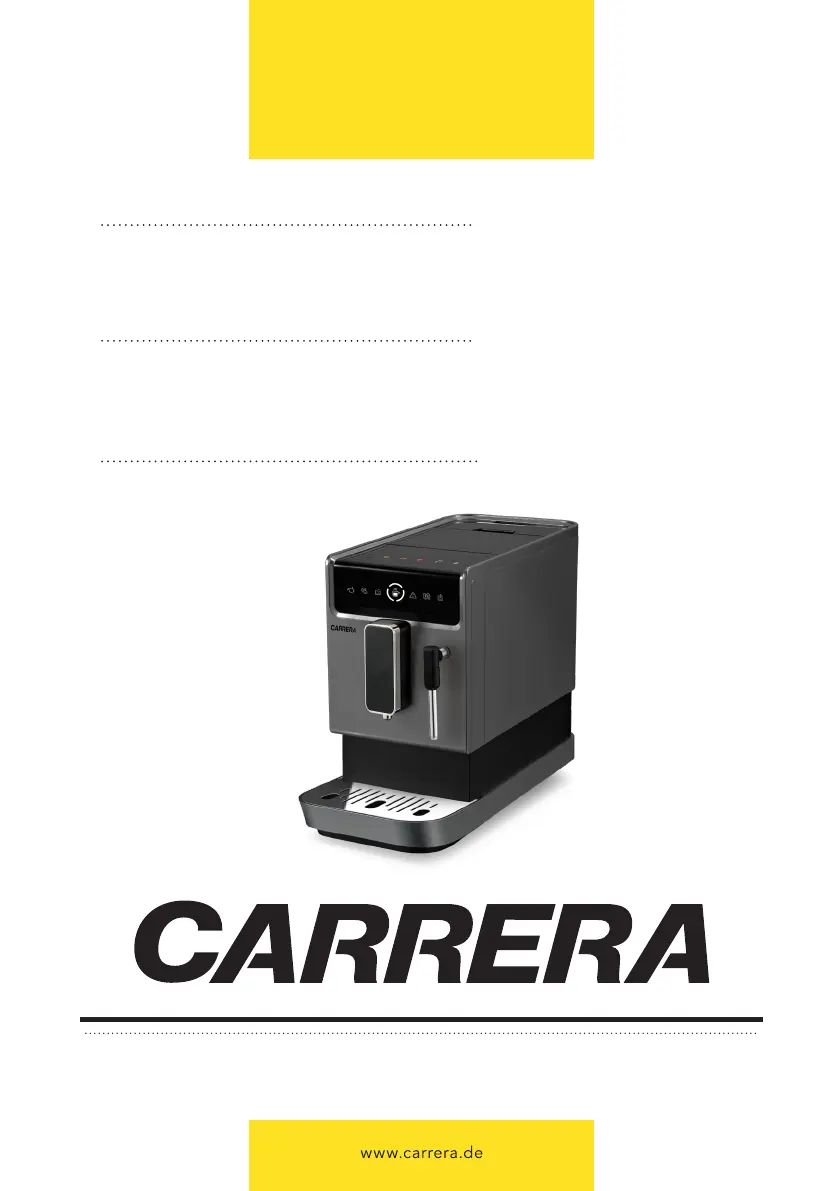
T
Toni WolfAug 19, 2025
Why does my Carrera 655 take so long to warm up?
- GGina FullerAug 19, 2025
If the Carrera Coffee Maker takes too long to warm up, it's likely due to excessive scale buildup. Descale the appliance to resolve this issue.

Why does my Carrera 655 take so long to warm up?
If the Carrera Coffee Maker takes too long to warm up, it's likely due to excessive scale buildup. Descale the appliance to resolve this issue.
How to fix Carrera 655 Coffee Maker if it doesn't turn on?
If the Carrera Coffee Maker doesn't work, ensure it is properly plugged into the mains and the power is switched on. Check both the cable and the plug for any issues.
What to do if the 'lack of bean' indicator flashes on my Carrera Coffee Maker when it's full?
If your Carrera Coffee Maker displays the lack of bean indicator even when there are plenty of beans, the internal coffee powder outlet is likely blocked. Clean the coffee powder outlet to resolve this.
What to do if the internal drip tray is overfilled with water in Carrera 655 Coffee Maker?
If the internal drip tray of your Carrera Coffee Maker is overfilled with water, it's likely that the coffee powder is too fine, blocking the water flow. Adjust the coffee grinder to a bigger dot during operation.
Why does the descaling indicator keep flashing on my Carrera 655?
If the descaling indicator continues to flash on your Carrera Coffee Maker even after descaling, it means the descaling process wasn't fully completed. Allow the process to finish on its own; the appliance will shut off automatically.
Why is my Carrera 655 Coffee Maker not making milk foam?
If your Carrera Coffee Maker isn't producing milk foam, the steam nozzle may be dirty or not correctly installed. Clean the nozzle and ensure it is properly assembled.
How to make Carrera 655 coffee hotter?
If the coffee from your Carrera Coffee Maker is not hot enough, it could be because the cups weren't preheated or the brewing unit is too cold. Rinse the appliance at least three times before brewing.
Why water tank light doesn't turn on in my Carrera Coffee Maker?
If the water tank is removed or the water level is very low but the indicator doesn't light up on your Carrera Coffee Maker, the area near the water tank connector might be wet. Wipe the water around the connector.
Why is Carrera Coffee Maker coffee dripping slowly?
If the coffee from your Carrera Coffee Maker comes out too slowly, or just a drop at a time, it's likely that the coffee powder is too fine and is blocking the water. Adjust the coffee grinder to a bigger dot.
What to do if Carrera 655 Coffee Maker function keys are not responding?
If you're experiencing no or delayed response when pressing function keys on the Carrera Coffee Maker panel, it might be due to electromagnetic interference, dirt, or incorrect pressing. Unplug and restart the appliance after a few minutes. Clean the panel with a cloth and ensure you press the lower part of the icon on the touch button.
Provides a detailed breakdown of the coffee machine's main components and their functions.
Explains the meaning of all indicators, symbols, and buttons on the coffee machine's control interface.
Instructions on how to correctly fill the water tank for initial operation and subsequent use.
Guidance on loading coffee beans into the container for brewing fresh coffee.
Details the automatic rinse cycle performed upon switch-on for system hygiene.
Explains the procedure for safely switching off the coffee machine.
Information on the automatic power-off feature to save energy and ensure safety.
Step-by-step guide to brewing Espresso and Lungo coffee beverages.
Instructions for preparing an Americano by combining espresso with hot water.
Detailed steps for frothing milk and preparing a cappuccino.
Advice and steps to ensure the coffee is served at an optimal hot temperature.
Guide on how to dispense hot water for tea or other beverages.
How to customize the volume of coffee or hot water dispensed for each beverage.
Guidance on adjusting the coffee grinder's fineness for optimal coffee extraction.
Explanation of different operational modes like ECO and Speed Mode for customization.
How to program and save preferred drink settings for quick access.
Instructions for performing the descaling process to maintain machine performance and longevity.
Procedure for emptying the internal system, recommended before storage or service.
Steps for performing a manual rinse cycle to clean components like the coffee nozzle.
Instructions for cleaning the exterior surfaces and the control panel of the appliance.
Detailed steps for removing, cleaning, and reassembling the brewing unit.
How to empty and clean the drip trays and the coffee grounds container regularly.
Guidance on how to remove and clean the water tank for hygiene.
Instructions for cleaning the steam nozzle after each use to ensure proper frothing.
 General
| Brand | Carrera |
|---|---|
| Model | 655 |
| Category | Coffee Maker |
| Language | English |