24 EN
CLEANING THE STEAM NOZZLE
NOTE:
It is important to clean the steam nozzle after every use.
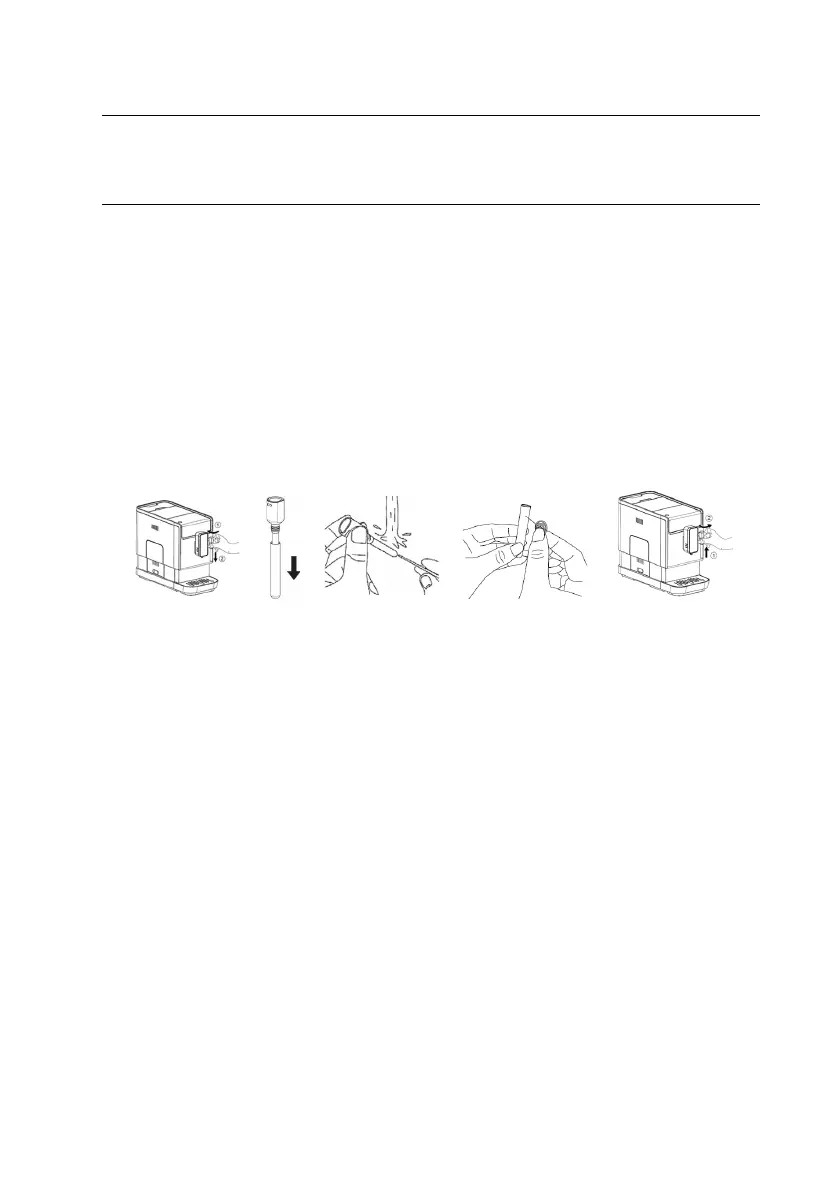
1. Unlock the nozzle cover (6) by turning it to left. Then pull it
downward to remove.
2. Pull the metal tube (5) downward.
3. Wash the nozzle cover and the metal tube with warm running
water and use needle (18) or bristle of brush to clean the hole.
4. Assembly the metal tube back to the nozzle cover, then push
upward to place the nozzle cover back. Turn it to the right to
lock.


 To Next Page