EN 17
08. ADDITIONAL SETTINGS
ADJUSTING THE QUANTITY OF YOUR COFFEE/HOT WATER
The appliance can memorize your desired volume of coffee and
hot water. The range is from 25 to 250 ml.
1. Place a cup under the spout.
2. When making your coffee or dispensing hot water, press and hold
the button you selected. The appliance will continue to make the
cup of coffee.
3. When the appliance starts dispensing coffee/water, touch and
hold the button until you get the quantity needed. You will hear
two beep sounds meaning that the new quantity is memorized
by the appliance.
NOTE:
After changing the quantity you will not be able to restore the
default settings. You will have to adjust the quantity manually.
ADJUSTING THE GRIND
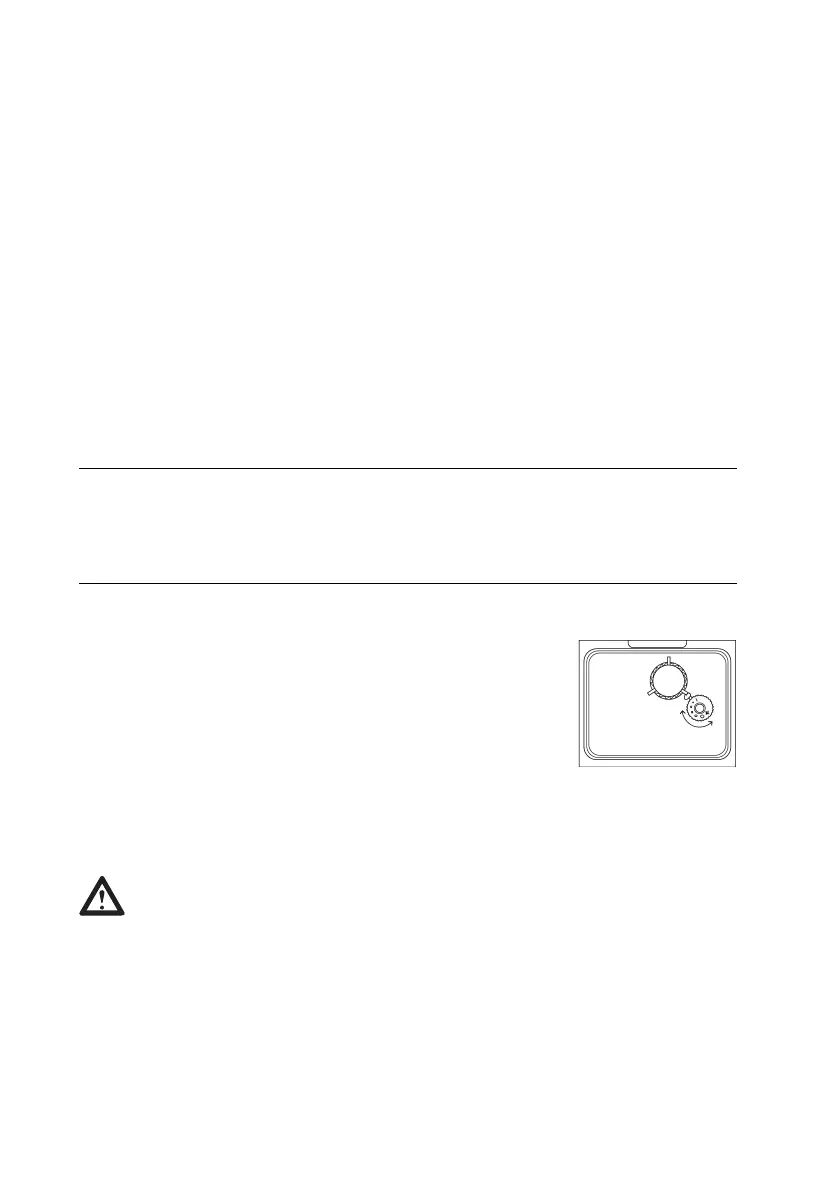
You can adjust the grinder to suit your taste by
turning adjuster knob in the bean container.
The dots on the adjuster knob indicate the
fineness of the grind.
If the coffee comes out slowly or does not come
out at all, turn the knob to the left.
For richer coffee with better foam, turn the knob to the right.
CAUTION!
Never try adjusting the grind when the grinder is not
operating. It may damage the grinder.


 To Next Page