13
Password change
User password can be modied in the User Conguration
menu.
To change your password:
1. Navigate to the Conguration menu and select
User Conguration (USERCONF).
2. Press the User Password box.
3. A dialog box appears.
4. Enter your new password and press OK.
5. The User Conguration screen appears.
6. Press
to save or to cancel changes.
5.8.2 - Display language
Display language can be modied in the User Login
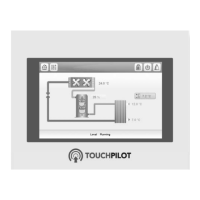
Screen on the Touch Pilot Junior user interface.
To change a display language:
1. Press the Log button
to open User Login Screen.
2. Select the new language of the display.
3. Press to save or to cancel changes.
IMPORTANT: Touch Pilot Junior allows users to add
new languages to the control. To learn more about
language customization, please contact your local Carrier
representative.
5.8.3 - System of measurement
The control offers the possibility of selecting the system of
measurement displayed on the user interface.
To change a system of measurement:
1. Press the Log button
to open User Login Screen.
2. Select the system of measurement.
3. Press to save or to cancel changes.
5.9 - Monitor unit parameters
The Main menu provides access to the main control
parameters, including general parameters, inputs and
outputs status, etc.
To access the menu, press the Main menu button
located in the upper-left part of the Synoptic screen
(see also section 5.4).
Specic unit parameters can be accessed by pressing the
icon corresponding to the desired category.
To go back to the Synoptic screen, press
.



 To Next Page