27
8.5.1 - Variable speed pumps control
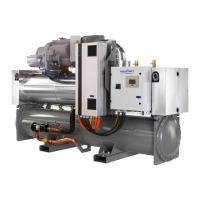
30RBS chillers and 30RQS heat pumps may be tted with
one or two variable speed pumps.
Variable speed pumps give the possibility of saving the
pumping energy cost, providing precise water ow control
and improving the overall performance of the system. The
frequency inverter continuously regulates the ow rate to
minimise the pump power consumption at full load and
part load.
Water ow management methods are as follows:
1) Fixed speed control (the control ensures a constant
pump speed based on compressor capacity).
2) Water ow control based on constant water delta
pressure (the control continuously acts on the pump
speed to ensure a constant delta pressure).
3) Water ow control based on constant delta T on the
water exchanger.
IMPORTANT:
Pump speed conguration can be
performed only by Carrier service.
8.5.2 - Pumps conguration
The control can command internal xed speed or variable
speed pumps as well as customer pumps. Variable speed
pumps may also be congured as xed speed pumps (see
also section 8.5.1).
Basic pump conguration can be performed via the
Conguration menu (PUMPCONF – Pump
Conguration). Only logged-in users can access the menu.
The unit must be stopped.
To set pumps sequence
1. Navigate to the Conguration menu.
2. Select Pump Conguration (PUMPCONF).
3. Set Water Pumps Sequence [pump_seq].
0 No Pump
1 One Pump Only
2 Two Pumps Auto
3 Pump#1 Manual
4 Pump#2 Manual
8.5.3 - Automatic pump selection
If two pumps are controlled and the reversing function has
been selected (PUMPCONF – Pump Conguration), the
control balances the pump run time to match the
congured pump changeover delay. If this delay has
elapsed, the pump reversing function is activated.
To set pump automatic rotation delay
1. Navigate to the Conguration menu.
2. Select Pump Conguration (PUMPCONF).
3. Set Pump Rotation Delay [pump_del].
Pump Rotation Delay [pump_del]
24 to 3000h 48h
8.5.4 - Customer pumps conguration
Units tted with external pumps may have only xed
speed pumps available. Customer pumps may be
congured as follows:
Pump available
No pump 0 (no pump)
One single speed pump 1 (one pump only)
Two single speed pumps 2 (two pumps auto)
3 (pump#1 manual)
4 (pump#2 manual)
Units with customer pumps are tted with the ow switch,
allowing for the water ow control. For more information
about actuators, see Water ow switch in section 4.7.
8.5.5 - Pumps protection
The control provides the option to automatically start the
pump each day at 14:00 for 2 seconds when the unit is off.
If the unit is tted with two pumps, the rst pump is started
on even days and the second pump is started on odd days.
Starting the pump periodically for a few seconds extends
the lifetime of the pump bearings and the tightness of the
pump seal.
Periodical pump quick start can be selected via the
Conguration menu (PUMPCONF – Pump
Conguration).
To set periodical pump quick start
1. Navigate to the Conguration menu.
2. Select Pump Conguration (PUMPCONF).
3. Set Pump Sticking Protection [pump_per].
Pump Sticking Protection [pump_per]
No/Yes Ye s
8.6 - Hydronic kit option
The hydronic kit option allows for continuous monitoring
of the water ow rate (PUMPSTAT – Pump Status).
The hydronic kit provides the option to measure the
following parameters:
• Inlet and outlet water pressure.
• Water exchanger ow rate.
The water ow rate is based on the pressure difference
between the inlet and outlet pressures and the pressure
drop curves.
Hydronic kit option with variable speed pumps
For units with variable speed pumps, this option allows for
the automatic adjustment of the pump speed necessary to
maintain the correct water ow rate. Water ow control
can be based on compressor usage, constant delta pressure
or constant temperature difference. For more information
on variable speed pumps control, see also section
8.5.1.




 To Next Page