12
Installation
Power
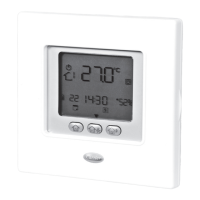
The NUI will be powered with 12V unregulated DC Voltage. This power is supplied to the User Interface by the unit to
which is connected.
Step 1 — User Interface Location (for in zone user interface)
• Approximately 5 ft (1.5m) from oor.
• Close to or in a frequently used room, preferably on an
inside partitioning wall.
• On a section of wall without pipes or duct work.
User Interface should NOT be mounted.
• Close to a window, on an outside wall, or next to a lid
leading to the outside.
• Exposed to direct light or heat from the sun, a lamp,
fireplace, or other temperature--radiating objects
which could cause a false reading.
• Close to or in direct airflow from supply registers and
return--air registers.
• In areas with poor air circulation, such as behind a lid
or in an alcove.
Read and follow manufacturer instructions carefully. Follow
all local electrical codes during installation. All wiring must
conform to local and national electrical codes.
Safety consideration
1. Turn OFF all power to unit.
2. If an existing User Interface is being replaced:
• Remove existing User Interface from wall.
• Disconnect wires from existing User Interface,
one at a time.
• As each wire is disconnected, record wire
color and terminal marking.
3. Open the NUI (mounting base) to expose mounting
holes. The base can be removed to simplify mounting.
Press the thumb release at the top of the NUI and
snap apart carefully to separate mounting base from
remainder of the NUI.
4. Route the NUI wires through large hole in mounting
base. Level mounting base against wall and mark wall
through 2 mounting holes. See Fig. 1.
5. Drill two 5 mm mounting holes in wall where marked.
Warning
ELECTRICAL OPERATION HAZARD
Failure to follow this warning could result in personal
injury or death.
Before installing User Interface, turn off all power to
equipment.
There may be more than one power to disconnect.
Step 2 — Install User Interface
English
129H84_GB_8.indd 12 23/07/12 16.29






 To Next Page