TEST 4
Function : RS-232C communication test (Computer link test)
Used key LCD screen Description
ENTER key :
Press once: Test running
Press one more time:
Move to initial menu
Display TEST 4 state.
Receive : “1” Transmit : “2”
Key
na
me code Key
na
me code
1
ZERO
2
TARE
3
GROSS/NET
4
HOLD
5
Key code
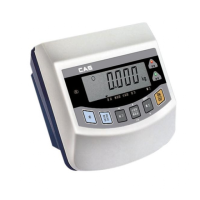
Reference 1. Connect the computer COM port with RS232C connector of indicator
before running this test.(Possible only at installing RS-232C option)
Reference 2. Press “1” in computer keyboard and check that “1” is shown in LCD
screen of indicator and check that the next ASCII code value, “2”
is inputted in computer.
ASCII code table
Char Code Char Code Char Code Char Code Char Code Char Code
32 0 48 64 P 80 96 p 112
33 1 49 A 65 Q 81 a 97 q 113
34 2 50 B 66 R 82 b 98 r 114
35 3 51 C 67 S 83 c 99 s 115
36 4 52 D 68 T 84 d 100 t 116
37 5 53 E 69 U 85 e 101 u 117
38 6 54 F 70 V 86 f 102 v 118
39 7 55 G 71 W 87 g 103 w 119
40 8 56 H 72 X 88 h 104 x 120
41 9 57 I 73 Y 89 i 105 y 121
42 58 J 74 Z 90 j 106 z 122
43 59 K 75 91 k 107 123
44 60 L 76 92 l 108 124
45 61 M 77 93 m 109 125
46 62 N 78 94 n 110 126
47 63 O 79 95 o 111
22



 To Next Page
 Loading...